GENERAL INFORMATION
Figures and illustra in this User Manual are provided for reference only and may diīer from
actual product appearance. Product design and ƐƉĞĐŝĮca
ons may be changed without no in
order to enhance product performance.
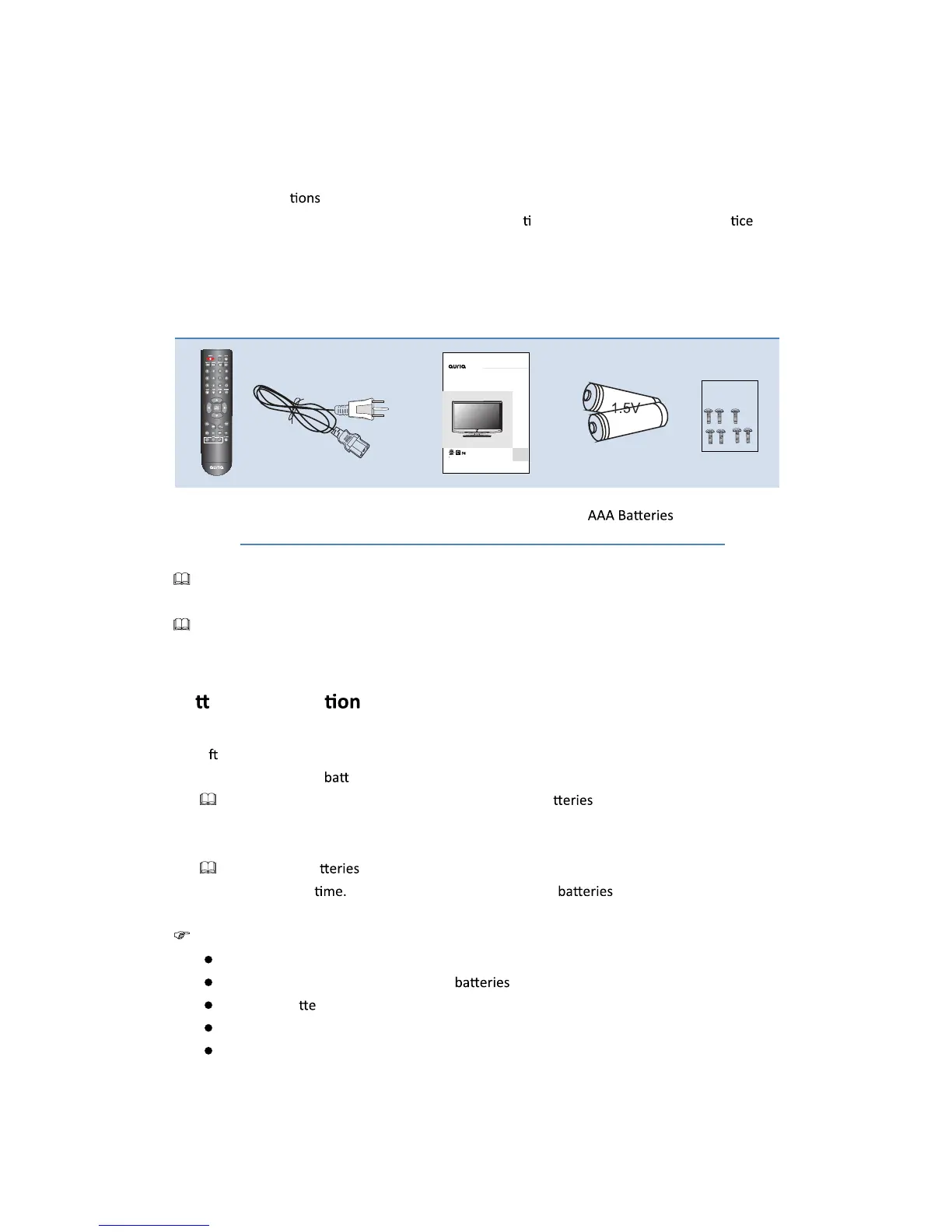
Accessories
Remote Control Power Cord User Manual
Please make sure the following items are included with your LCD TV. If any items are missing,
contact your dealer.
The items color and shape may vary depending on the model.
Ba eries Installa of Remote-Control Unit
1. Li the cover at the back of the remote control upward as shown in the Įgure.
2. Install two AAA size
eries.
Make sure to match the “+”and “-” ends of the ba with the diagram inside the
compartment.
3. Replace the cover.
Remove the ba and store them in cool, dry place if you won’t be using the remote
control for a long
(Assuming typical TV usage, the should last for about one
year.)
If the remote control
doesn’
t work, check the following:
Is the TV power on?
Are the plus and minus ends of the reversed?
Are the ba ries drained?
Is there a power outage or is the power cord unplugged?
Is there a special Ňuorescent light or neon sign nearby?
3
EQ4066P
In order to avoid accident and risk,Please read the“Important
safety notice”to know how to use the TV before using.
USER GUIDE
40”Wide Screen Digital LCD TV
Accessories Bag
Screws M4x16


 To Next Page