19 GB/IE
Press the ALARM button
21
to switch off the
alarm signal before it switches off automati-
cally.
Note: The alarm signal sounds every day at
the set time.
Press the SET / RESET button three times to
deactivate Alarm 1. Press the SET / RESET
button twice to deactivate Alarm 2. Press the
SET / RESET button once to deactivate Alarm
1 and Alarm 2.
Using the snooze button
Press the Z
Z
/ REGISTER button
18
while the
alarm signal is sounding to activate the snooze
function.
The alarm signal is silenced and the displays
or and Z
Z
flash.
The alarm signal sounds again after approx.
5 minutes.
Press the SELECT button
19
to deactivate the
snooze function.
Displaying temperature
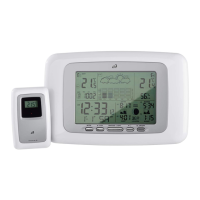
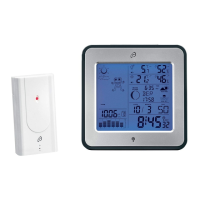
The LC display shows the indoor temperature
6
and the outdoor temperature
2
.
Press and hold down the SELECT button
19
for approx. 3 seconds. The °C display
flashes.
Press the SET / RESET button
20
to switch be-
tween the °C (Celsius) and °F (Fahrenheit)
temperature scales.


 To Next Page