24
3.5 Disconnecting Bluetooth connection
Press M until the Bluetooth LED indicator ashes blue rapidly to disconnect the current
connected device, and enter the new Bluetooth pairing mode.
3.6 Music control
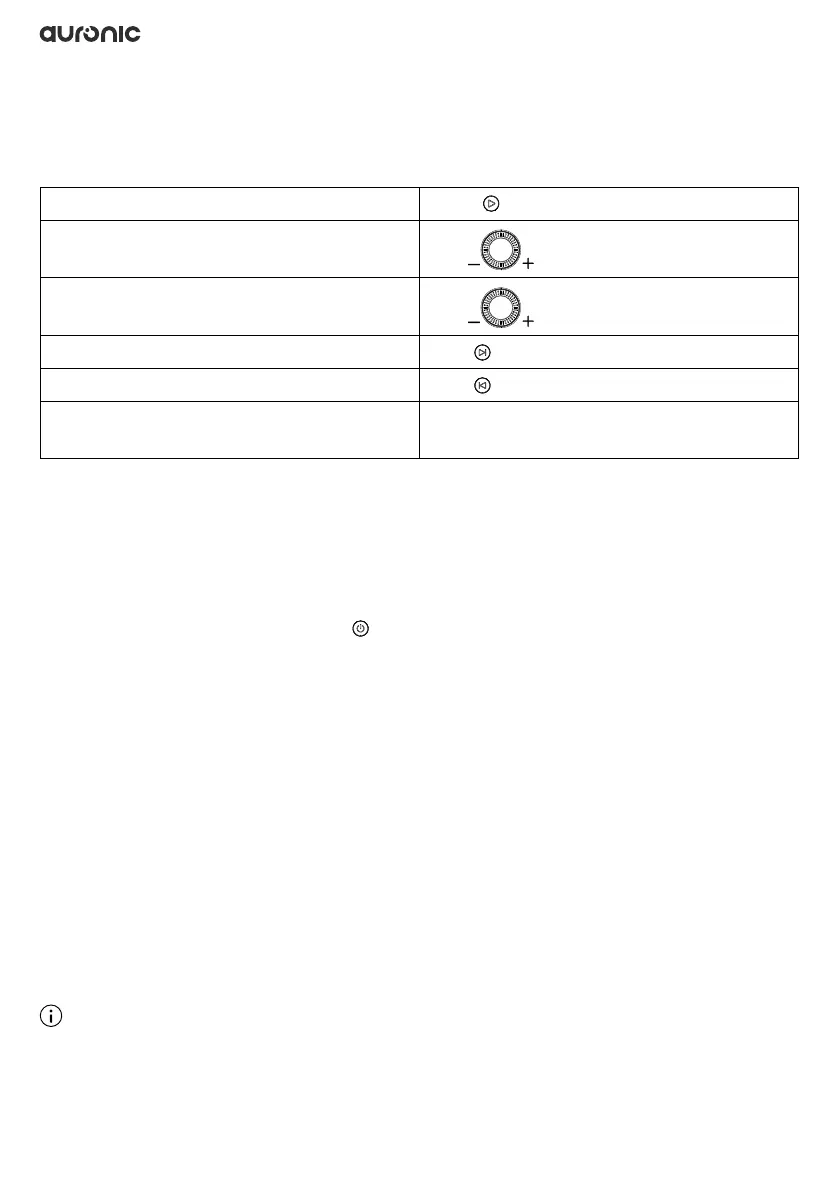
Play/Pause
Press
Volume up
Turn
clockwise
Volume down
Turn
counterclockwise
Next song
Press
Previous song
Press
Switching between Bluetooth and AUX-in
mode
Press M
3.7 TWS (True Wireless Stereo) function
TWS technology lets you pair two speakers via Bluetooth to create a wireless two-channel
system for a true stereo sound effect.
3.7.1 Making a TWS connection
1. Place the two speakers close together. The distance should not exceed 10 meters.
2. Turn on the two speakers, press the on one speaker as the master speaker (left playback
channel) twice in quick succession. The LED indicator ashes blue and green rapidly. The two
speakers will be paired automatically. The other speaker becomes the slave speaker and
plays the right channel.
3. Once the master and slave speakers are paired, the LED indicators turn blue.
3.7.2 Disconnecting the TWS connection
Press M on one of the speakers until the LED indicator ashes blue rapidly to disconnect the TWS
connection.
3.8 Listening to music from an external audio source
1. Turn on the product.
2. Use the AUX cable (Ø3.5mm) to connect your external device to the speaker’s AUX-in port.
3. The product automatically switches to AUX-in mode. The LED indicator will remain lit in
green.
Note
◊ In AUX-IN mode, tracks cannot be skipped.


 To Next Page
 Loading...