English
25
3.9 LED light mode
Press to change the modes of the LED lights.
1 Musical pulse Pulse from bottom to top
2 Rotation semicircle Rotate to the rhythm of the music
3 Full-cycle rotation Rotation speed automatically adjusts to the beat of the music
4 Flash rhythm Brightness ashes with the beats of the music
5 Musical pulse From the middle to the top and bottom pulse
6 Lights off
3.10 Sound mode
Press M twice in a row to change the sound mode. The LED indicator slowly blinks blue in
outdoor mode and the LED indicator remains blue in indoor mode.
Note
◊ The default mode of this product is indoor.
◊ In USB disk and TF card mode, the LED is green.
3.11 TF card reader (micro-SD card).
Insert your TF card into the port, the product will automatically switch to TF card reader mode
and play the music on the card.
3.12 Reset
If the function buttons do not work, disconnect the charging cable, insert a pin (<3mm) into the
reset button and hold it for 2 seconds until the LED turns off.
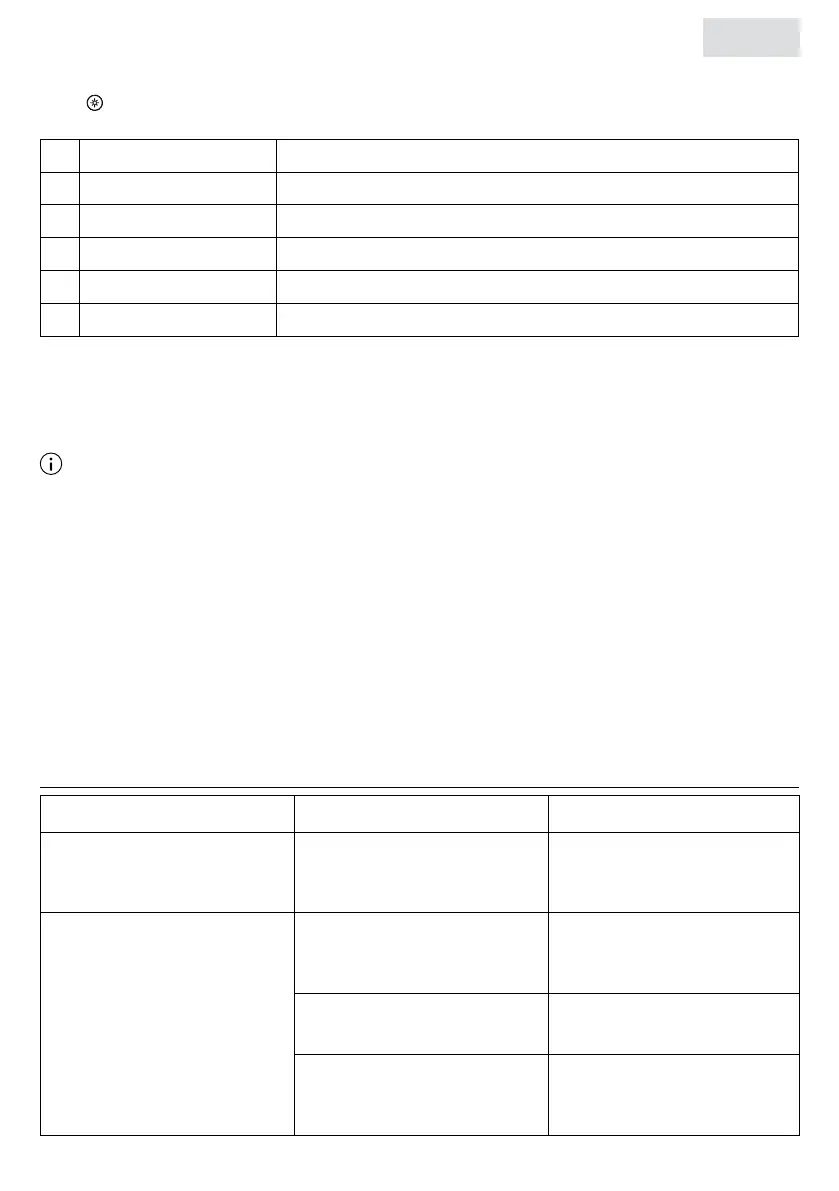
4. TROUBLESHOOTING
Problem Cause
Solution
Product does not turn on. The battery is not sufciently
charged.
Charge the speaker and
make sure it is sufciently
charged.
Cannot connect to the
device.
The Bluetooth device does
not support the A2DP prole.
Make sure your Bluetooth
device supports the A2DP
prole.
The product is not within 10
meters of the device.
Make sure the product is
within 10 meters of the device.
The product is not in pairing
mode.
Make sure the product is in
pairing mode and the LED
indicator is blinking blue.


 To Next Page
 Loading...