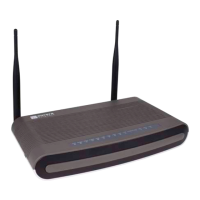
ONT-2-E4xxxi Multi-service Residential Gateway Series Hardware Installation Guide
TM 87-10879 Rev. A UNRELEASED DRAFT 1
Chapter 1 Introduction
This guide introduces hardware components and installation procedures for the Aurora Networks
ONT-2-E4xxxi Multi-service Residential Gateway Series models and accessories. It provides infor-
mation you will need to install and set up the ONT-2-E4000i, ONT-2-E4020i, ONT-2-E4021i,
ONT-2-E4020iWn, ONT-2-E4021iWn, and ONT-2-E4001i models.
After you complete your installation, refer to the Aurora Networks ONT-2-E4xxxi Multi-service Resi-
dential Gateway Series Operator Guide for procedures for setting up your PC, logging in to the GUI
interface, and managing Residential Gateway and wireless features of the EPON Multi-service Gateway
ONT via the GUI.
1.1 Welcome
Thank you for taking the time to read the ONT-2-E4xxxi Multi-service Residential Gateway Series
Hardware Installation Guide. This manual contains information and procedures that will assist network
and field engineers with the installation and use of the ONT-2-E4000i, ONT-2-E4020i, ONT-2-E4021i,
ONT-2-E4020iWn, ONT-2-E4021iWn, and ONT-2-E4001i models.
1.2 About This Manual
The following information describes the ONT-2-E4xxxi Multi-service Residential Gateway Series
Hardware Installation Guide, the contents of its chapters, and the conventions it uses to present infor-
mation.
1.2.1 Conventions Used in This Guide
The following symbols represent the conventions used in this guide.
WARNING! This symbol is used to identify conditions or actions
that could seriously injure personnel; for example, an electrical
shock hazard.
CAUTION! This symbol is used to identify situations that present
minor hazards that can interfere with or threaten equipment or
system performance.
Note:
This symbol identifies important points related to the text.
Tip
This symbol provides helpful suggestions.



 To Next Page