<Place holder for website>
13 Please contact 1-877-527-0313 for further assistance.
1.2 Link camera with home AP
□ Link camera with home AP allows user to watch their camera from anywhere in the world as long as they have
internet access.
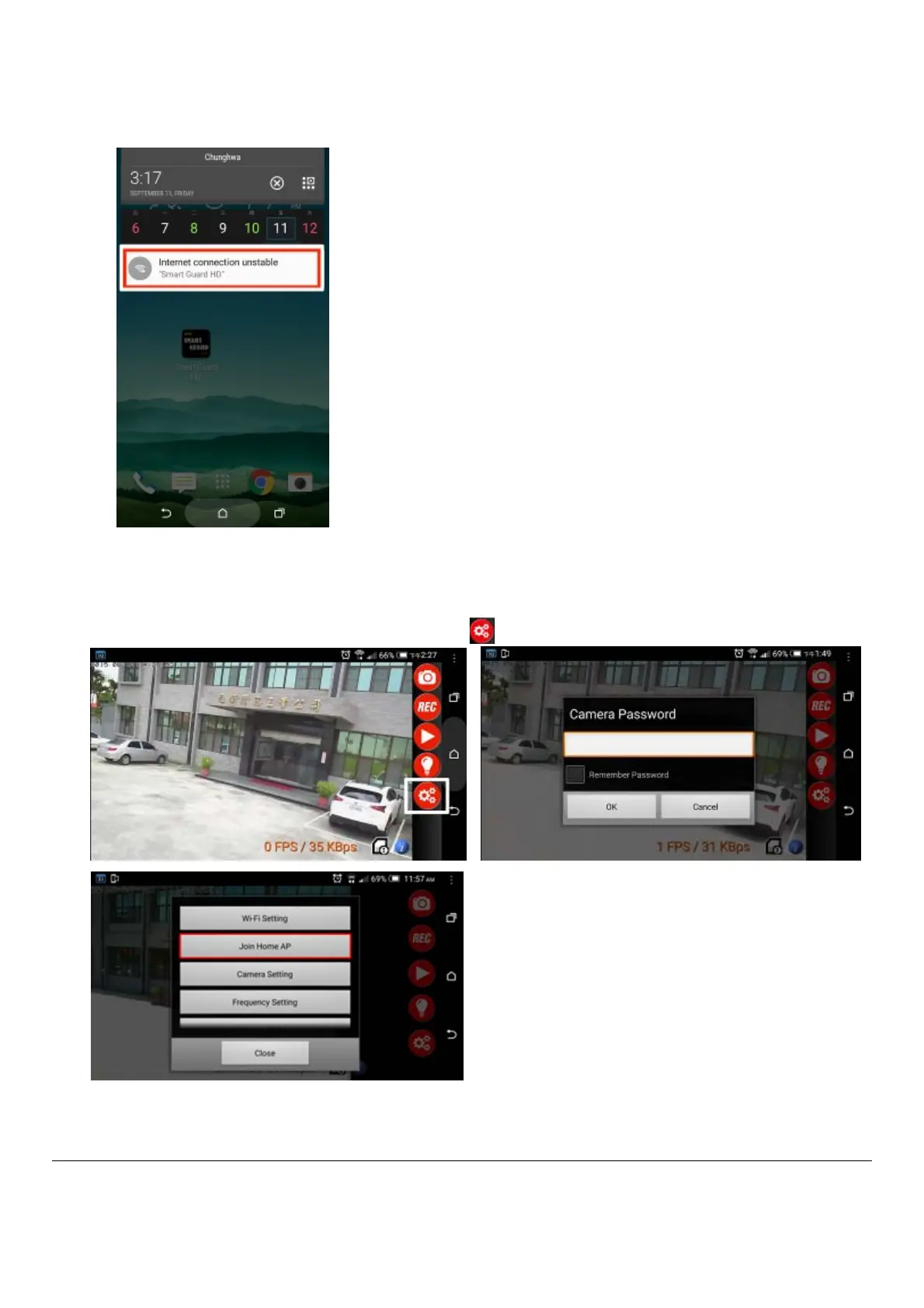
□ Touch the screen twice, it will appear 5 red function keys on the right side.
□ Touch the screen twice again, 5 red function keys will be hided.
□ On your smart phone/tablet screen, click on “SETTING” icon . Enter camera default password “12346578”.


 To Next Page