EasyManua.ls Logo

Auta VISUALTECH 751501 - User Manual

Default Icon
6 pages
Go to English
Print Icon
To Next Page IconTo Next Page
Loading...
Bringing people together
auta
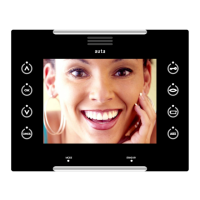
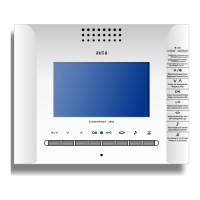
VISUALTECH 5W SLIM monitor
Monitor SLIM VISUALTECH 5H
EN
ES
751501
REF.
VISUALTECH
Question and Answer IconNeed help?

Do you have a question about the Auta VISUALTECH 751501 and is the answer not in the manual?

Overview

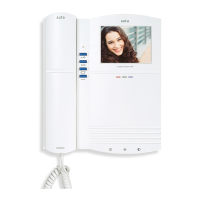
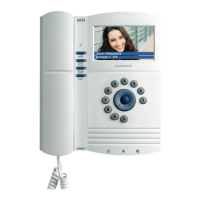
The Auta Visualtech 5H/5W Slim Monitor is a hands-free digital monitor designed for integration into any Auta Visualtech system, utilizing a 5-wire installation. It features a 4.3" color LCD widescreen display with touch technology, offering a modern and intuitive user experience.

Function Description:

The monitor provides comprehensive functionality for managing calls, monitoring, and controlling auxiliary devices within a building.

  • Call Management: When a call is received from the entrance panel, the monitor rings for up to 30 seconds, typically with four 4-second interval rings. During this period, the image from the panel appears on the screen, allowing the user to directly open the door or establish a conversation. Conversations have a maximum duration of 90 seconds, which can be extended by pressing the conversation button again.
  • Self-Starting: Users can initiate communication with the street panel or CCTV camera by pressing the self-start button. If multiple devices are installed, each press of the button cycles through them, displaying the image and enabling door opening.
  • Concierge Call: In standby mode, pressing the concierge button initiates a call to the concierge unit. If no concierge unit is installed, the monitor will emit an error beep.
  • Melody and Volume Selection: From standby, pressing the melody selection button allows users to cycle through four different call melodies and two volume levels (medium and high).
  • Ding-Dong Function: This feature integrates both external (entrance panel) and internal (house bell) calls into a single device, differentiating them with distinct melodies and flashes. To enable this, the house bell button must be connected to the monitor.
  • CCTV Surveillance: The monitor automatically controls panels and CCTV cameras. Pressing the CCTV button activates different devices sequentially. Each CCTV camera requires an Auta digital interface for this function.
  • Privacy Mode: The monitor includes a privacy mode that mutes ringing tones for a selected duration. When active, the monitor flashes to indicate the remaining privacy period: 1 flash for 2 hours, 2 flashes for 4 hours, 3 flashes for 6 hours, and 4 flashes for 8 hours. After the selected time, the monitor automatically returns to standard operation. To activate, press the privacy button for 4 seconds (it will start blinking), then select the desired period by pressing the button again. The selection is validated by pressing the privacy button.
  • Door Sensor Function: If a door contact is installed, the monitor provides real-time monitoring of the building entrance. If a door remains open longer than the configured time, a visual alarm is sent to all monitors in the installation until the door is closed.
  • External Functions: The monitor features a push-button that can be used to control auxiliary functions such as garage doors, lights, or irrigation. This requires connecting an Auta auxiliary relay to the desired control circuit.

Important Technical Specifications:

  • Display: 4.3" LCD COLOR widescreen.
  • Technology: Touch screen.
  • Installation: 5-wire system.
  • Auxiliary Outputs: Multi-function.
  • Power Supply: +24 Vcc, -24 Vcc.
  • Audio/Data: Z terminal.
  • Video: Va (Video + in/out), Vb (Video - in/out).
  • Dimensions (Surface Mount): 178mm (width) x 146mm (height) x 28mm (depth).
  • Connection Bracket (Surface Mount): 750920 (not included).
  • Mounting Box (Flush Mount): 750921 (not included).
  • Frame (Flush Mount): 750922 (not included).

Usage Features:

  • Hands-Free Audio: Allows for convenient communication without holding a handset.
  • Intuitive Interface: The touch screen and clear icons simplify navigation and control.
  • Customizable Settings: Users can personalize melodies, call volume, and privacy duration.
  • Digital System Configuration: The monitor supports digital system configuration, including video load ON/OFF settings for both main and secondary monitors.
  • Programming Special Functions: A detailed programming sequence allows for advanced customization, including:
    • Turning the monitor ON/OFF.
    • Writing down and restoring monitor configurations.
    • Setting function codes (binary template).
    • Validating codes.
    • Enabling silent mode (output activated multiple times).
    • Activating output for 30 seconds on call.
    • Configuring AUX output as pulse (1 sec) or toggle mode (ON_OFF).
    • Automatic electrical lock activation on call (requires re-enablement every 4 hours).
    • Setting input as remote door release.
    • Restoring factory settings.

Maintenance Features:

  • Security System: The touch keyboard remains locked in standby until a specific button is pressed, preventing unintended operations.
  • Error Beep: The monitor provides an audible error beep for certain conditions, such as attempting to call a non-existent concierge unit.
  • Re-enablement for Auto Lock: The automatic electrical lock function requires re-enablement every 4 hours by pressing a specific sequence of buttons.
  • Factory Reset: Option to restore the monitor to its default factory settings (function code 255).

Auta VISUALTECH 751501 Specifications

General IconGeneral
BrandAuta
ModelVISUALTECH 751501
CategoryIntercom System
LanguageEnglish

Related product manuals