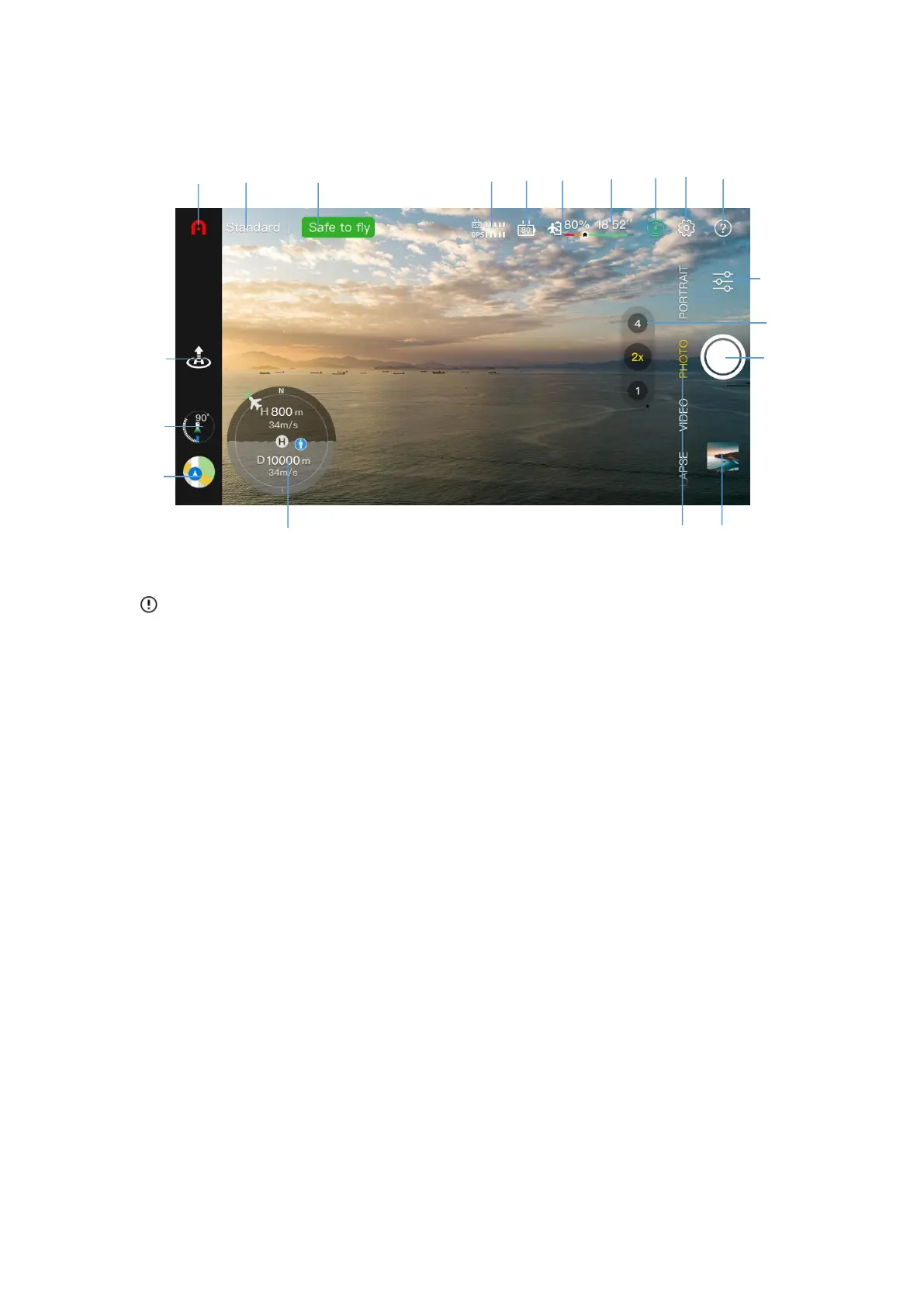
4.2.2 Camera interface
Important
The user can slide the image transmission interface up to hide all the information and
only display the image transmission screen.
1. Home page
Click it to return to homepage.
2. Flight Mode
Indicate the current flight mode.
3. Device status
Indicate the flight status and various warning information of aircraft. In the case of abnormal
status, click it to view the detailed information.
4. Signal strength
Indicate the current image transmission signal strength and the GPS signal strength between
aircraft and remote controller.



 To Next Page