6
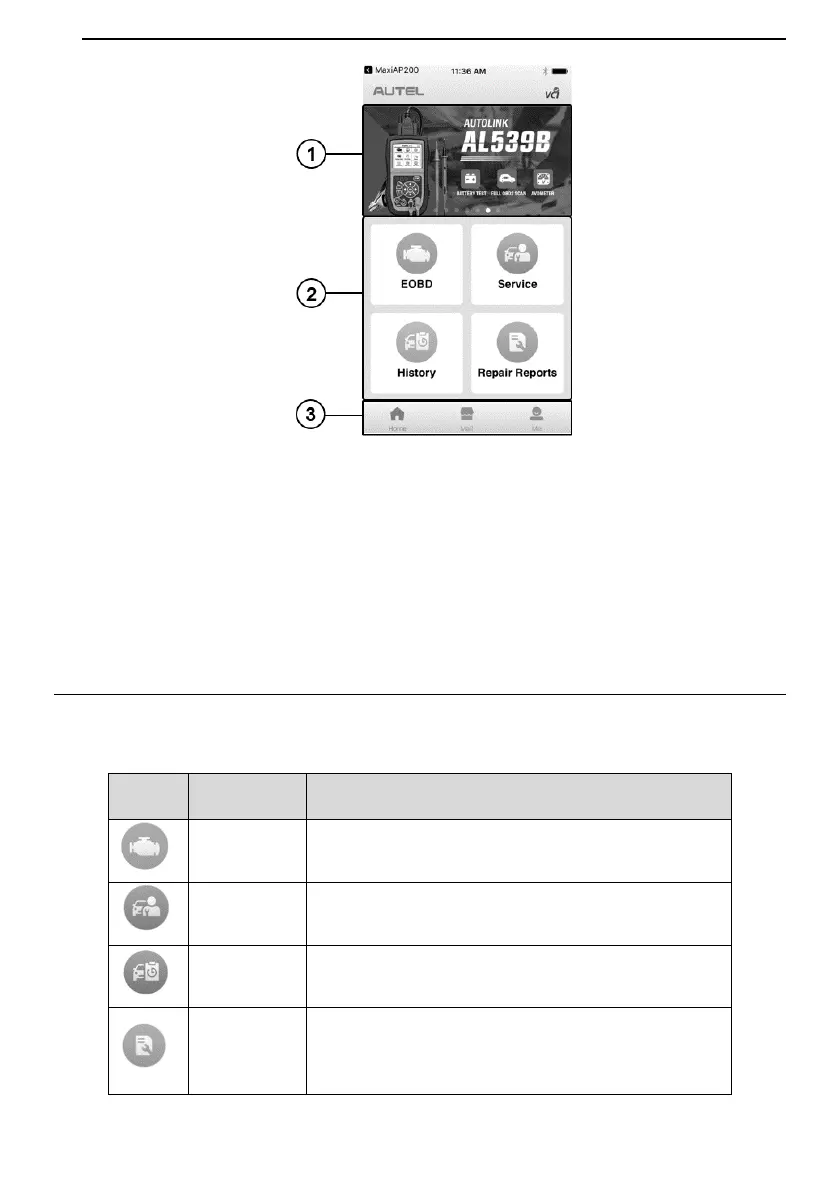
Figure 2-1 Sample MaxiAP200C Job Menu
① Dynamic Rotation Banner – display information about other popular Autel
products, tap the banner to visit the product page on Autel websites,
www.autel.com or www.maxitpms.com.
② Application Buttons
③ Navigation Buttons
Function Buttons
The table below briefly describes each of the application buttons in the AP200C system.
Table 2-1 Application Buttons
Accesses full OBDII/EOBD functions.
Accesses service functions menu.
Accesses service records with vehicle information
and DTCs included.
Accesses repair reports for EOBD and
maintenance sessions.


 To Next Page