5
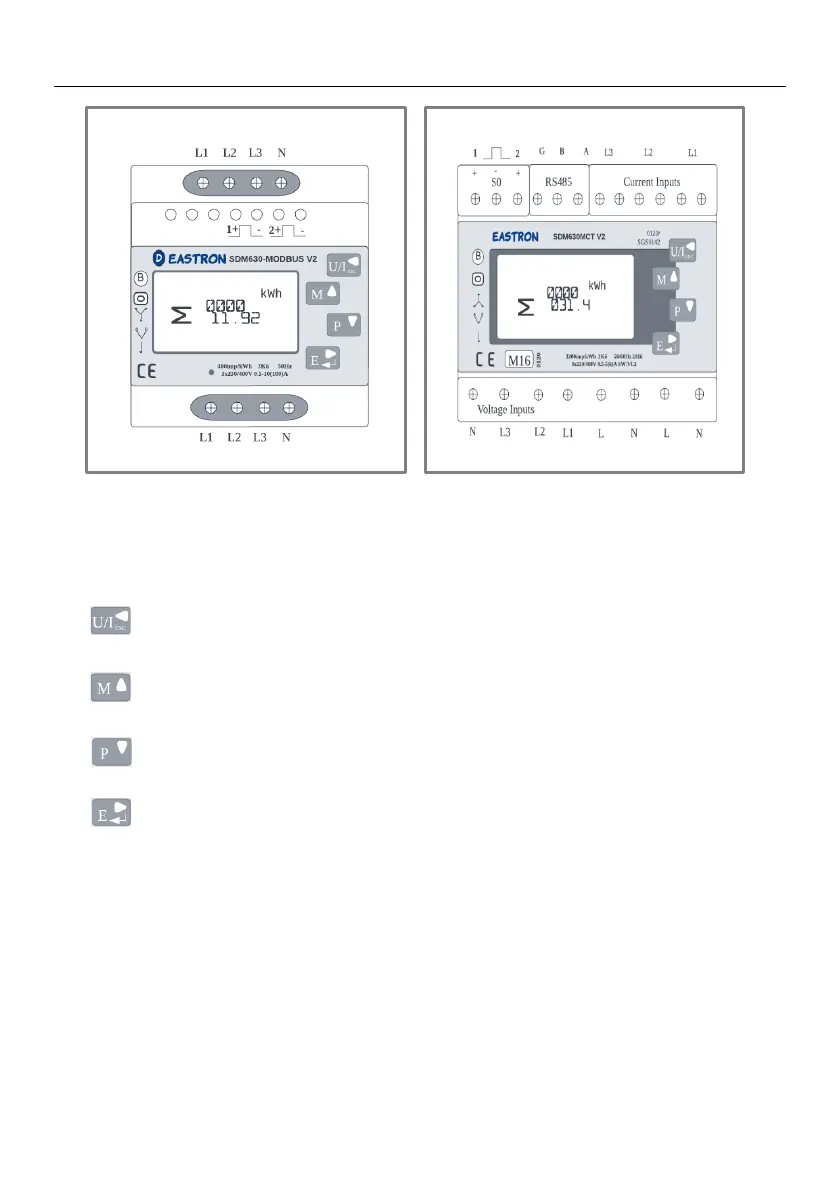
2.2 SDM630-Modbus V2 and SDM630MCT V2
SDM630-Modbus V2 SDM630MCT V2
There are four buttons on the SDM630-Modbus V2 and SDM630MCT V2 meters:
: Used to select Voltage and Current Display screens; can also be used as the
Left button or the Back button when in Set-up Mode.
:Used to select the Frequency and Power Factor Display screens; can also be
used as the Up button when in Set-up Mode.
:Used to select the Power Display screens; can also be used as the Down button
when in Set-up Mode.
:Used to select the Energy Display screens; can also be used as the Enter or the
Right button when in Set-up Mode.



 To Next Page