Getting Started Powering Up
12
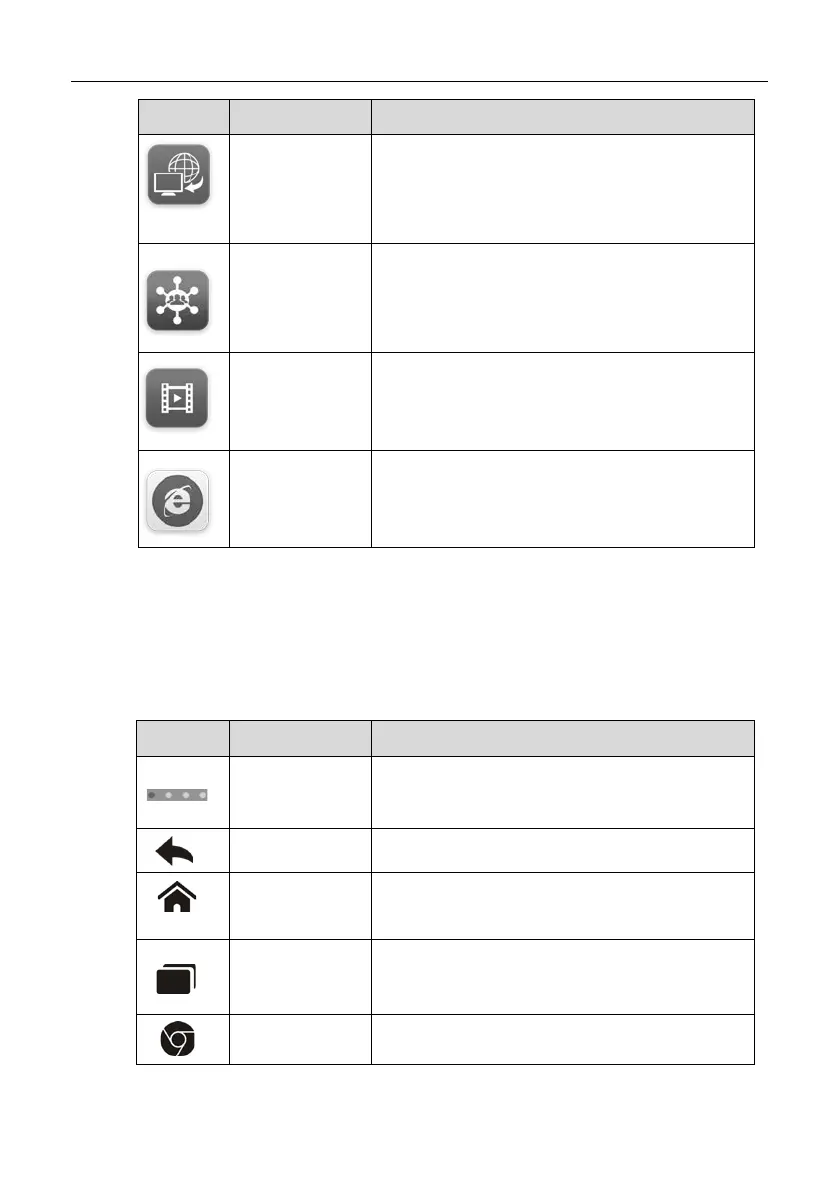
Button Name Description
Remote Desk
Configures your unit to receive remote
support using the TeamViewer application
program. See Remote Desk Operations on
page 90.
Support
Launches the Support platform which
synchronizes Autel’s on-line service base
station with the MaxiSys tablet. See
Support
Operations on page 78.
Training
Allows you to store and play technical tutorial
and training videos about the device usage or
vehicle diagnostic techniques. See Training
Operations on page 88.
Quick Link
Provides associated website bookmarks to
allow quick access to product update,
service, support and other information. See
3.1.2 Locator and Navigation Buttons
Operations of the Navigation buttons at the bottom of the screen are described
in the table below:
Table 3-2 Locator and Navigation Buttons
Button Name Description
Locator
Indicates the location of the screen. Swipe
the screen left or right to view the previous or
Back Returns to the previous screen.
Android
Home
Returns to Android System’s Home screen.
Recent Apps
Displays a list of applications that are
currently working. To open an ap p, touch it.
To remove an app, swipe it to the right.
Browser Launches the Android built-in browser.


 To Next Page