8
3.4 Icons
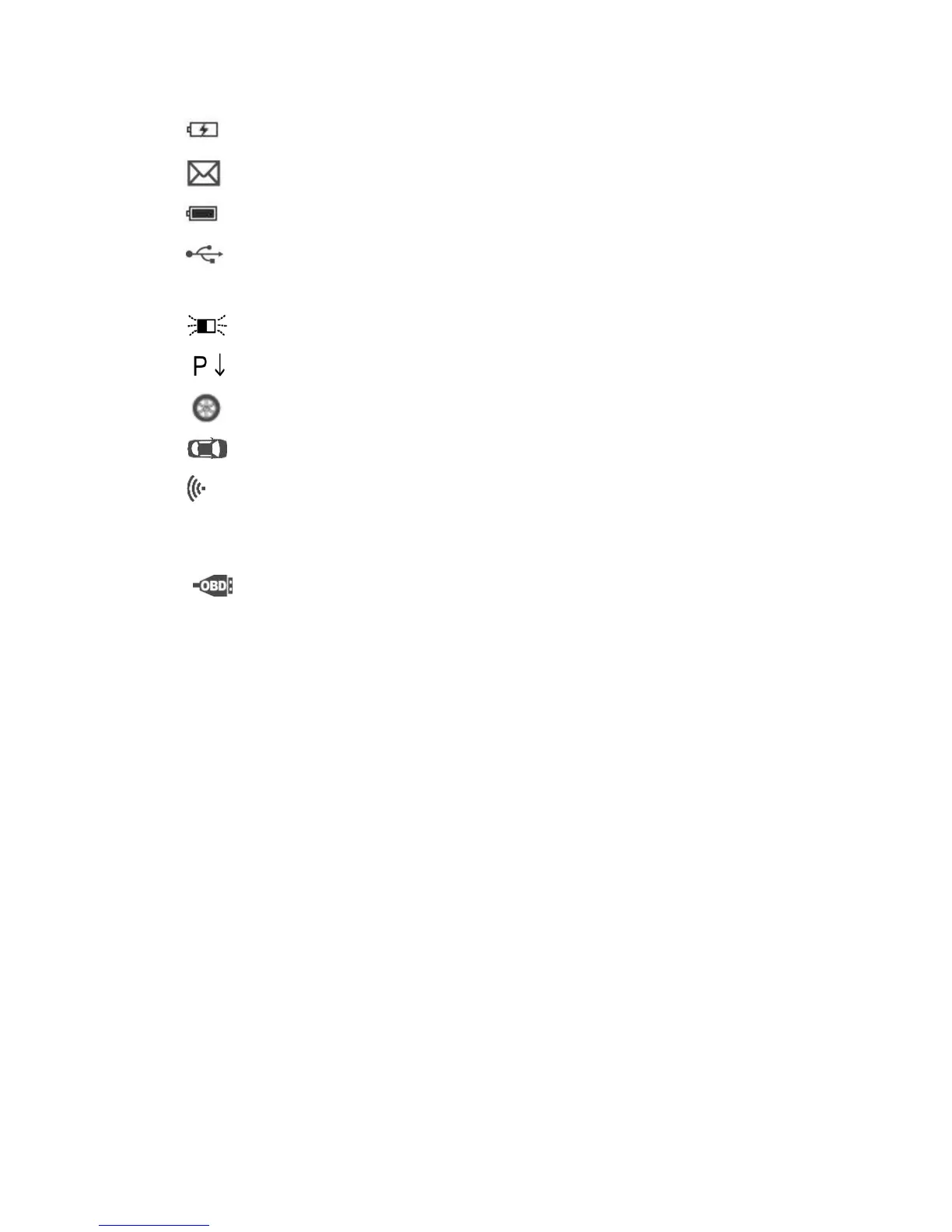
1) – Indicates battery charging.
2) – Indicates there is data stored in the tool.
3) – Indicates battery volume.
4) – Indicates USB communication with the computer is
established.
5) – Indicates magnet is required to activate TPMS sensor.
6) – Indicates deflation is required to activate TPMS sensor.
7) – Indicates One Wheel test mode is selected.
8) – Indicates ALL Wheels test mode is selected.
9) – Indicates the TPMS tool is sending signals to the tire sensor for
activation and test in activation screen or indicates the sensor
information is read by activation.
10) – Indicates the tool communication with the vehicle’s OBD II
DLC is established or indicates the sensor information is read by
OBD.
3.5 Keyboard
No solvents such as alcohol are allowed to clean the keypad or display.
Use a mild nonabrasive detergent and a soft cotton cloth. Do not soak
the keypad as the keypad is not waterproof.
3.6 Battery Charging
The TPMS tool has a 3.7 V built-in lithium-ion polymer rechargeable
battery. There are two means of battery charging:
To charge battery by power adapter
1) Locate the power port of the device.
2) Connect the device and the power source with the adapter.


 To Next Page