16
Wheels
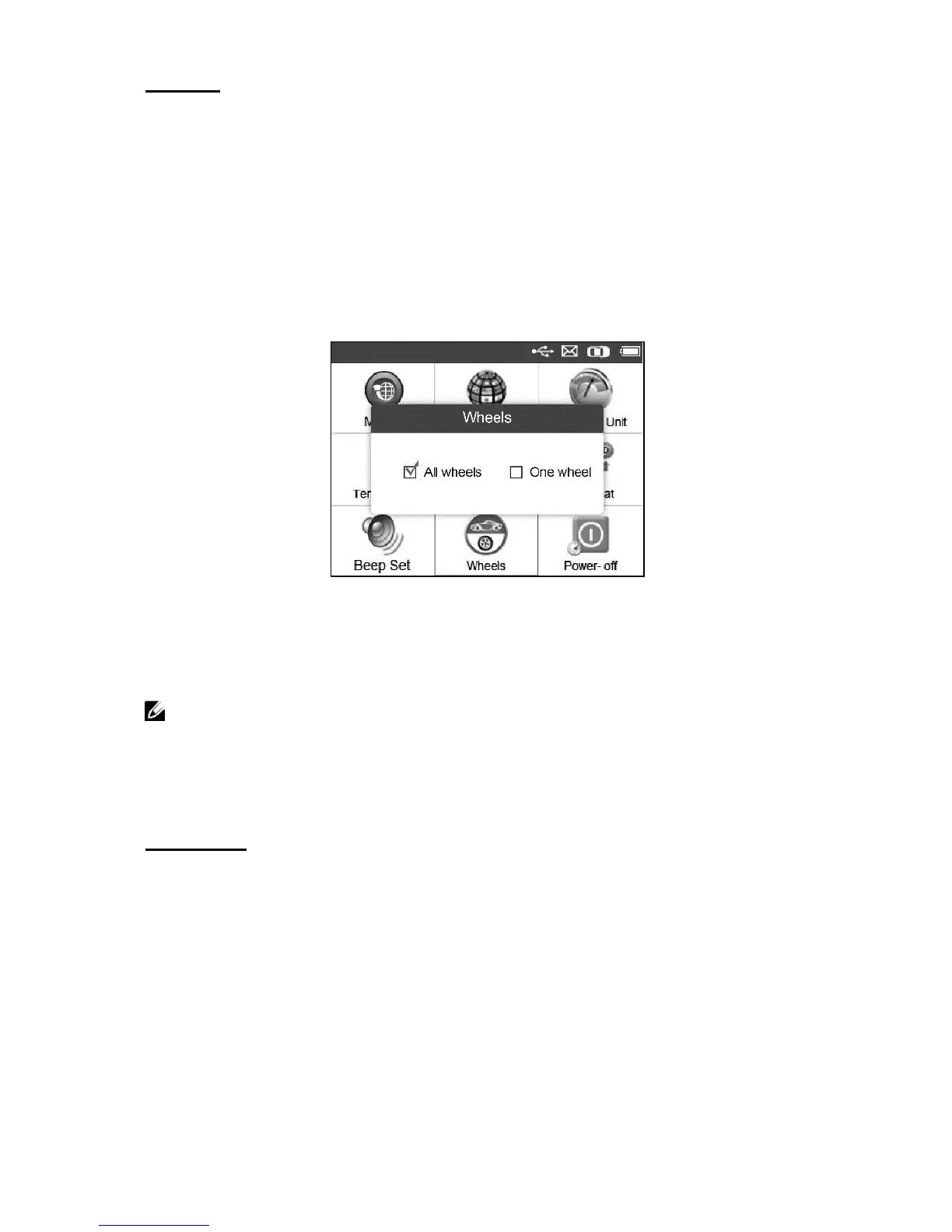
This function allows you to set sensor testing mode in All Wheels or
One Wheel.
1) From System Setting screen, use the UP/DOWN scroll button and
LEFT/RIGHT scroll button to select Wheels, and press the Y
button.
2) From Wheels screen, use the LEFT/RIGHT scroll button to select
All Wheels or One Wheel mode for TPMS sensor testing.
Figure 3.10
3) Press the Y button to save your selection or the N button to exit
without change.
NOTE: In All Wheels mode, the tool will determine if a duplicate
sensor ID has been read. In this case, the tool will display a
message “Sensor ID Duplicated.”. In One Wheel mode, the tool
will not check the duplication of sensor ID.
Power-off
1) From System Setting screen, use the UP/DOWN scroll button and
LEFT/RIGHT scroll button to select Power-off, and press the Y
button.
2) Press UP/DOWN scroll button to increase or decrease the interval
time for auto power-off, and then press the Y button to confirm
your change or the N button to exit without change.


 To Next Page