EasyManua.ls Logo

AUTO ARC 120 - Page 18

Default Icon
36 pages
Print Icon
To Next Page IconTo Next Page
To Previous Page IconTo Previous Page
Loading...
a
CAUTION
ARCING
can
damage
switch.
S
Do
not
change
ThicknessNoltage
switch
position
while
welding.
Arcing
inside
switch
can
damage
contacts,
causing
switch
to
fail.
wam5.1
9191
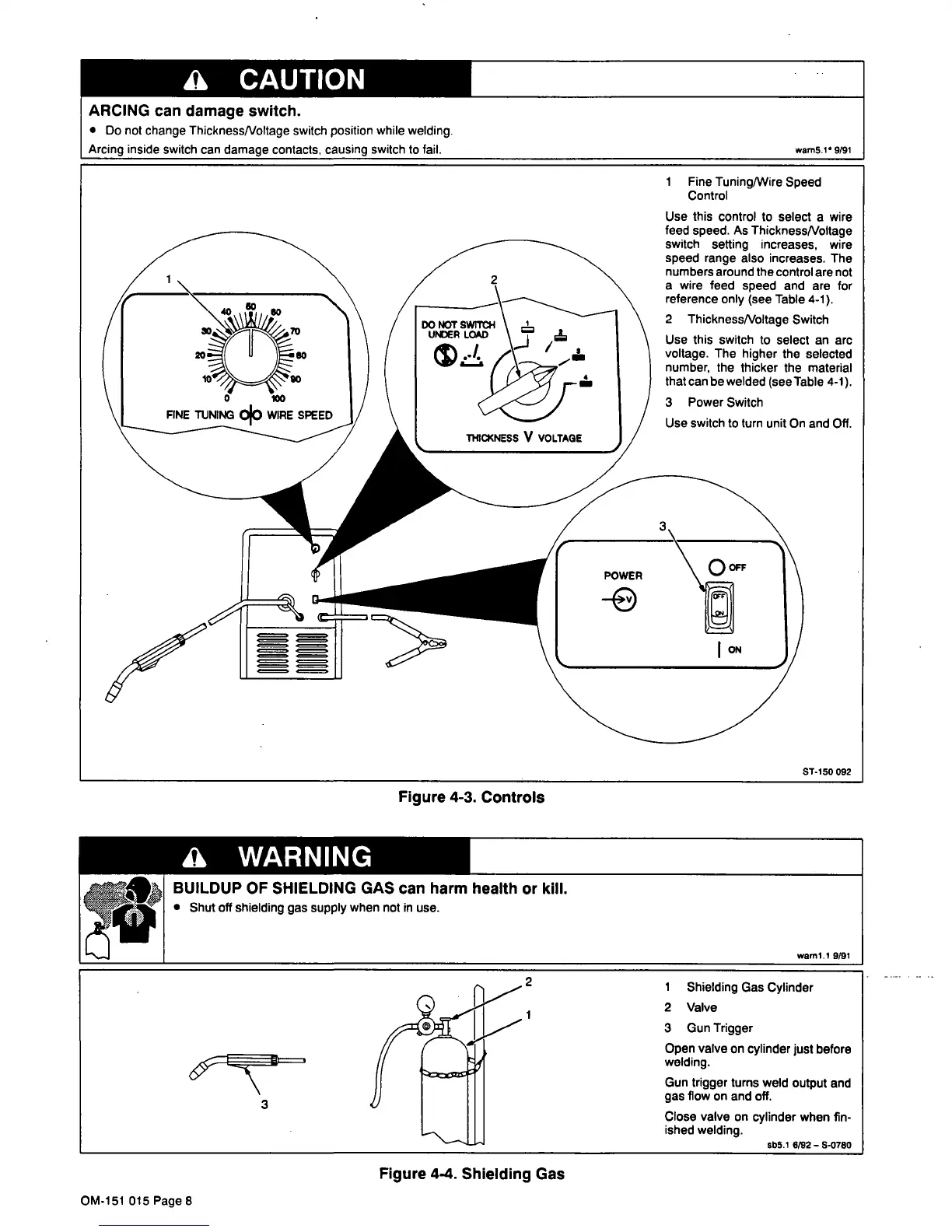
1
Fine
Tuning/Wire
Speed
Control
ST-150
092
Figure
4-3.
Controls
a
WARNING
BUILDUP
OF
SHIELDING
GAS
can
harm
health
or
kill.
S
Shut
off
shielding
gas
supply
when
not
in
use.
waml.1
9191
2
1
Shielding
Gas
Cylinder
2
Valve
3
Gun
Trigger
Open
valve
on
cylinder
just
before
welding.
Gun
trigger
turns
weld
output
and
gas
flow
on
and
off.
Close
valve
on
cylinder
when
fin
ished
welding.
sb5.1
8l92
S-0780
Use
this
control
to
select
a
wire
feed
speed.
As
ThicknessNoltage
switch
setting
increases,
wire
speed
range
also
increases.
The
numbers
around
the
control
are
not
a
wire
feed
speed
and
are
for
reference
only
(see
Table
4-1).
2
ThicknessNoltage
Switch
Use
this
switch
to
select
an
arc
voltage.
The
higher
the
selected
number,
the
thicker
the
material
that
can
be
welded
(seelable
4-1).
3
Power
Switch
Use
switch
to
turn
unit
On
and
Off.
Figure
4-4.
Shielding
Gas
OM-151
015
Page
8

Related product manuals