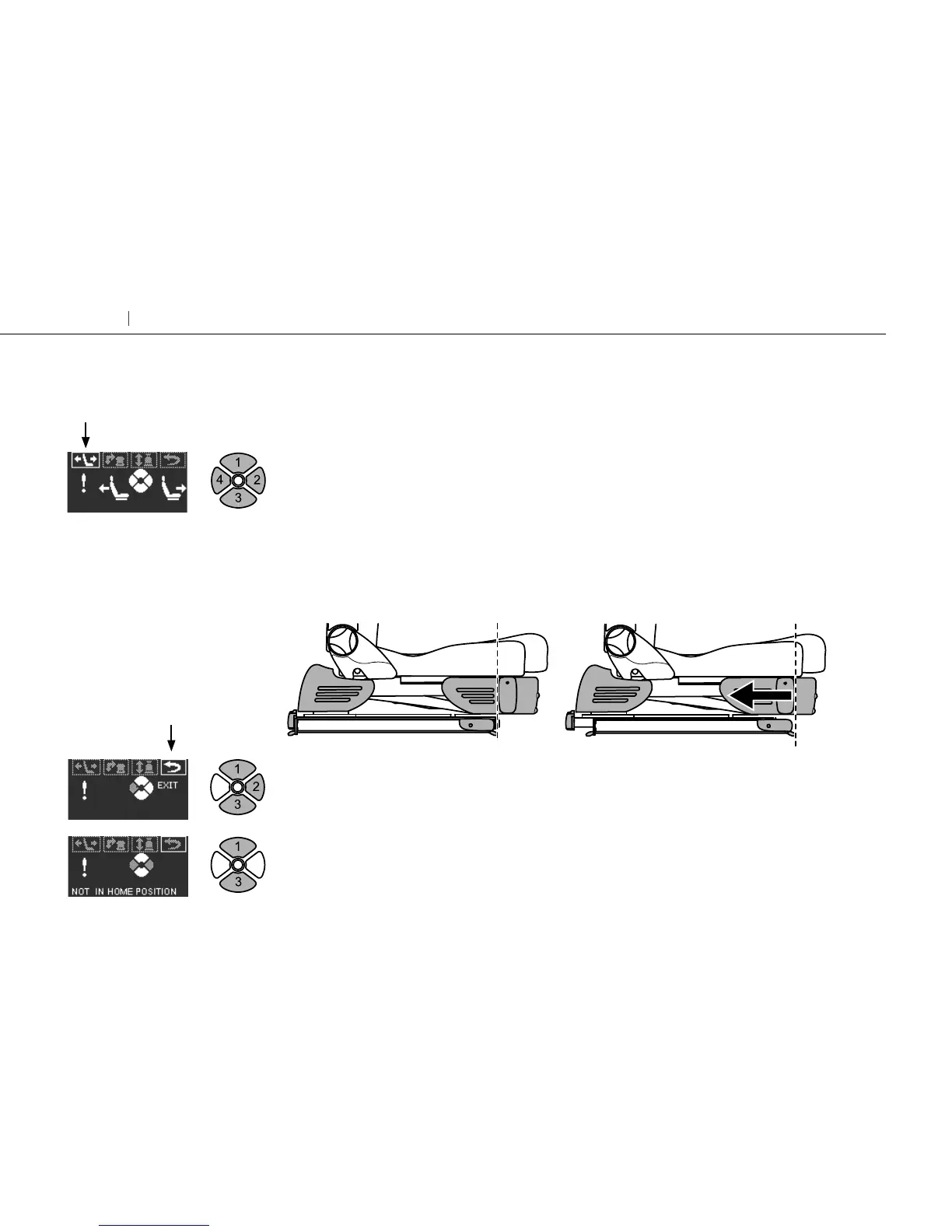
Press 1 or 3 and select “lengthwise”. Run the seat to the specified starting position by press-
ing 2 or 4 for “forwards” or “backwards”.
Press 4 for “backwards”. Run the seat backwards until the “exit” symbol lights up.
If the seat stops before ”exit” lights up you can override the system by forcing the seat back-
wards by holding in button 4 for ”backwards” for four seconds. If the “exit” does not light up
step 2 may have to be repeated.
Press 1 or 3 and select “exit”.
Press 2 to confirm “exit”. Turny Evo is now back in its normal operating mode.
If this screen is displayed the criteria to exit the system has not been achieved.
Go back and do 9.1 again and then step 9.2.
Press 1 or 3 to select the main menu at the top.
Starting position
Lengthwise
Exit
Run backwards
10
Turny Evo Getting seated
Exit the emergency-mode operation menu
3



 To Next Page