38 © 1999 Directed Electronics, Inc. Vista, CA
shutdown diagnostics
The unit has the ability to report the cause of the last shutdown of the remote start system.
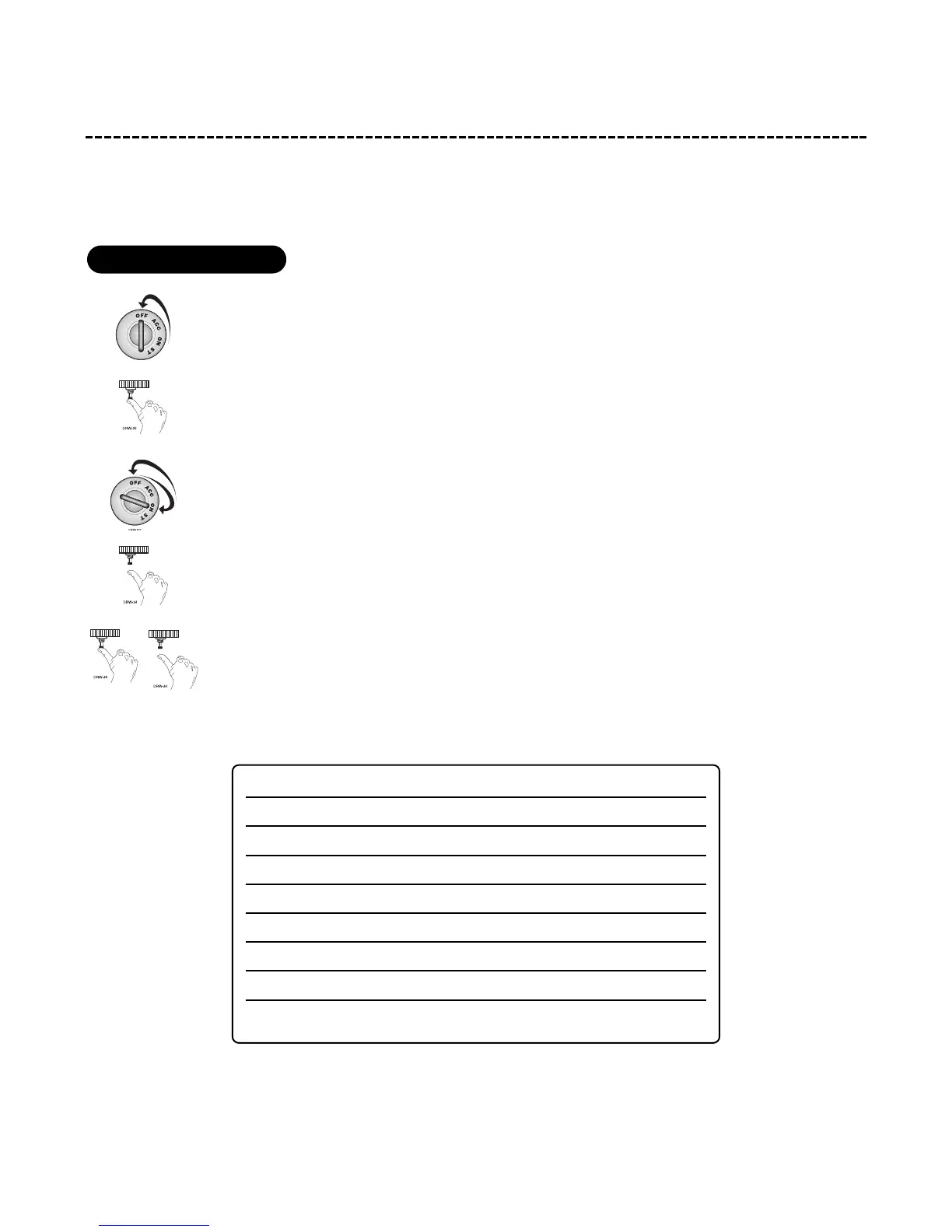
1. Turn the ignition off.
2. Press and hold the Valet/Program switch.
3. Turn the ignition on and then off.
4. Release the Valet/Program switch.
5. Press and release the Valet/Program switch.
The LED will now report the last system shutdown by flashing for one minute in the following grouped patterns:
The LED will stop flashing when the ignition is turned on.
LED FLASHES SHUTDOWN MODE
One System timed out
Two Over-rev shutdown
Three Low or no RPM
Four Transmitter Shutdown (or optional push-button)
Five (-) Shutdown
Six (+) Shutdown
Seven (-) Neutral safety shutdown (H3/6 BLACK/WHITE)
Eight Wait-to-start timed out
to enter diagnostic mode



 To Next Page