11
The long version of this manual is ready for download on our homepage www.q-nix.com.
Please go to the „support“ selection menu and click „manuals“.
3.4. Substrate switch
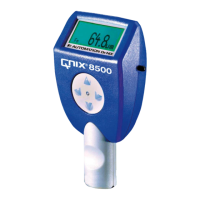
To switch the substrate the gauge has to be held upside down, that is the probe shows up.
Press the button and the gauge switches to the next substrate.
These substrates are possible by pressing the button again:
• Fe (ferromagnetic)
• NFe (non ferromagnetic)
• Fe/NFe (automatic substrate switch)

 To Next Page
 Loading...