9
3.2 Insert Probe (Option)
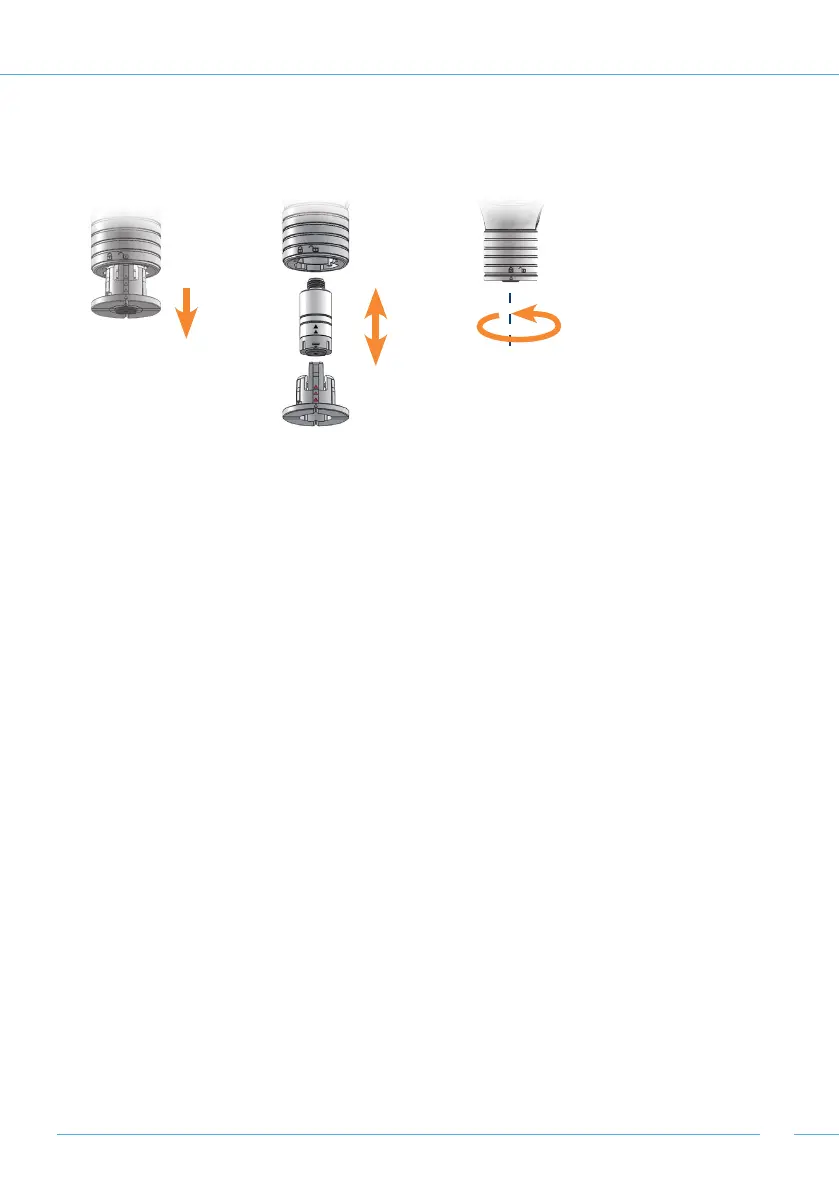
On devices with replaceable probe (grey probe latch), insert the probe as follows:
Remove the probe holder or probe cable from the probe input
• To unlock, turn the probe input anti-clockwise. The arrow on the probe holder shows the
open padlock on the probe input.
• Pull the probe holder from the input.
Insert the probe in the probe holder
• Push the probe into the probe holder using a slight turn/push movement. The arrow on the
probe and on the probe holder must align. When aligned correctly, all 4 lugs will lock into the
respective groove on the probe.
• Reinsert the probe holder or plug the probe into the cable and screw it in place.
• To lock the probe put it in place, turn clockwise until it locks. The arrow on the probe holder
points at the locked padlock on the probe input.


 To Next Page
 Loading...