DL06 Micro PLC User Manual; 3rd Edition Rev. E
4–2
Chapter 4: System Design and Configuration
1
2
3
4
5
6
7
8
9
10
11
12
13
14
A
B
C
D
DL06 System Design Strategies
I/O System Configurations
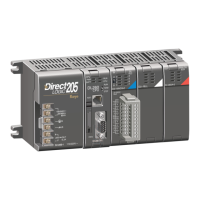
The DL06 PLCs offer a number of different I/O configurations. Choose the configuration
that is right for your application, and keep in mind that the DL06 PLCs offer the ability to
add I/O with the use of option cards. Although remote I/O isn’t available, there are many
option cards available. For instance:
• Various A/C and D/C I/O modules
• Combination I/O modules
• Analog I/O modules
• Combination Analog I/O modules
A DL06 system can be developed using several different arrangements using the option
modules. See our DL05/06 Options Modules User Manual (D0-OPTIONS-M) on the
website, www.automationdirect.com for detailed selection information.
Networking Configurations
The DL06 PLCs offers the following ways to add networking:
• Ethernet Communications Module s connects a DL06 to high-speed peer-to-peer networks. Any
PLC can initiate communications with any other PLC or operator interfaces, such as C-more, when
using the ECOM modules.
• Data Communications Modules s connects a DL06 to devices using either DeviceNet or Profibus
to link to master controllers, as well as a D0-DCM.
• Communications Port 1 s The DL06 has a 6-pin RJ12 connector on Port 1 that supports (as
slave) K-sequence, MODBUS RTU or DirectNET protocols.
• Communications Port 2 s The DL06 has a 15-pin connector on Port 2 that supports either
master/slave MODBUS RTU or DirectNET protocols, or K-sequence protocol as slave. (MRX
and MWX instructions allow you to enter native MODBUS addressing in your ladder program
with no need to perform octal to decimal conversions). Port 2 can also be used for ASCII IN/OUT
communictions.
1
2
3
4
5
6
7
8
9
10
11
12
13
14
a
b
c
D



 To Next Page