DL06 Micro PLC User Manual, 3rd Edition, Rev. E
5-83
Chapter 5: Standard RLL Instructions
1
2
3
4
5
6
7
8
9
10
11
12
13
14
A
B
C
D
NOTE: Status flags are valid only until another instruction uses the same flag.
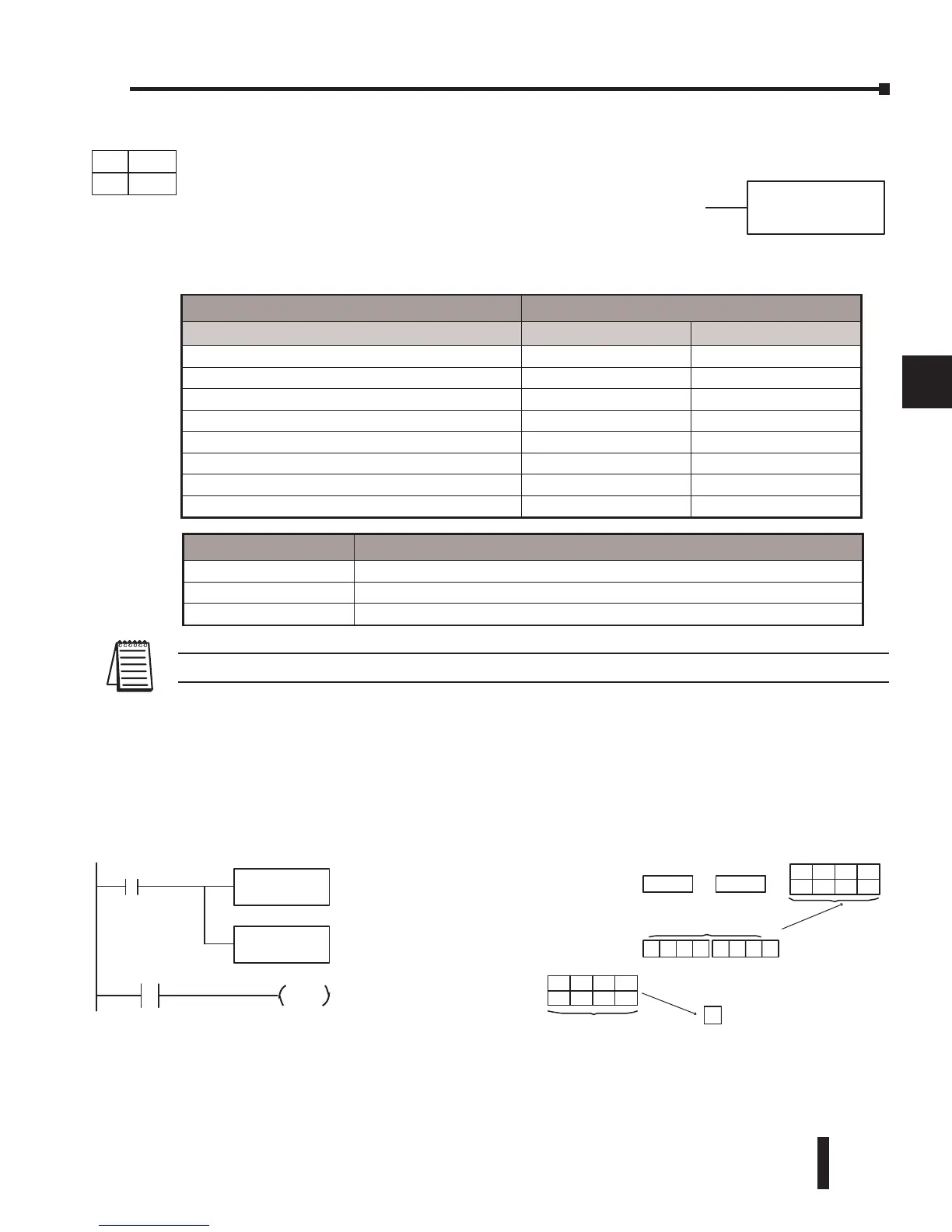
In the following example, when X1 is on, the Load Formatted instruction loads the binary
value (6) from C10–C13 into the accumulator. The CMPF instruction compares the value
in the accumulator to the value in Y20–Y23 (E hex). The corresponding discrete status flag
will be turned on, indicating the result of the comparison. In this example, if the value in the
accumulator is less than the value specified in the Compare instruction, SP60 will turn on
energizing C30.
bbbK
CMPF A aaa
K4C10
LocationConstant
C10C11C12C13
OF FONONOFF
The unused accumulator
bits ar eset to zero
Y20Y21Y22Y23
OF FONONON
Compared
with
Acc.
0000 00 0 6
E
LD
F
Comparethe valueinthe
accumulator withthe value
of thespecifieddiscrete
location (Y20 --Y23)
Load thevalue of the
specifieddiscretelocations
(C10--C13) into the
accumulator
C10
K4
CMPF
X1
Y20
K
4
SP60
DirectSOFT3
2
C30
OUT
Operand Data Type DL06 Range
A/B aaa bbb
Inputs X 0-777 -
Outputs Y 0-777 -
Control Relays C 0-1777 -
Stage Bits S 0-1777 -
Timer Bits T 0-377 -
Counter Bits CT 0-177 -
Special Relays SP 0-777 -
Constant K - 1-32
Discrete Bit Flags Description
SP60 On when the value in the accumulator is less than the instruction value.
SP61 On when the value in the accumulator is equal to the instruction value.
SP62 On when the value in the accumulator is greater than the instruction value.
DS Used
HPP Used
DirectSOFT
Compare Formatted (CMPF)
The Compare Formatted instruction compares the value in the
accumulator with a specified number of discrete locations (1–32).
The instruction requires a starting location (Aaaa) and the number
of bits (Kbbb) to be compared. The corresponding status flag will
be turned on, indicating the result of the comparison. The data
format for this instruction is BCD/Hex, Decimal and Binary.



 To Next Page