DL06 Micro PLC User Manual, 3rd Edition, Rev. E
5-148
Chapter 5: Standard RLL Instructions
1
2
3
4
5
6
7
8
9
10
11
12
13
14
A
B
C
D
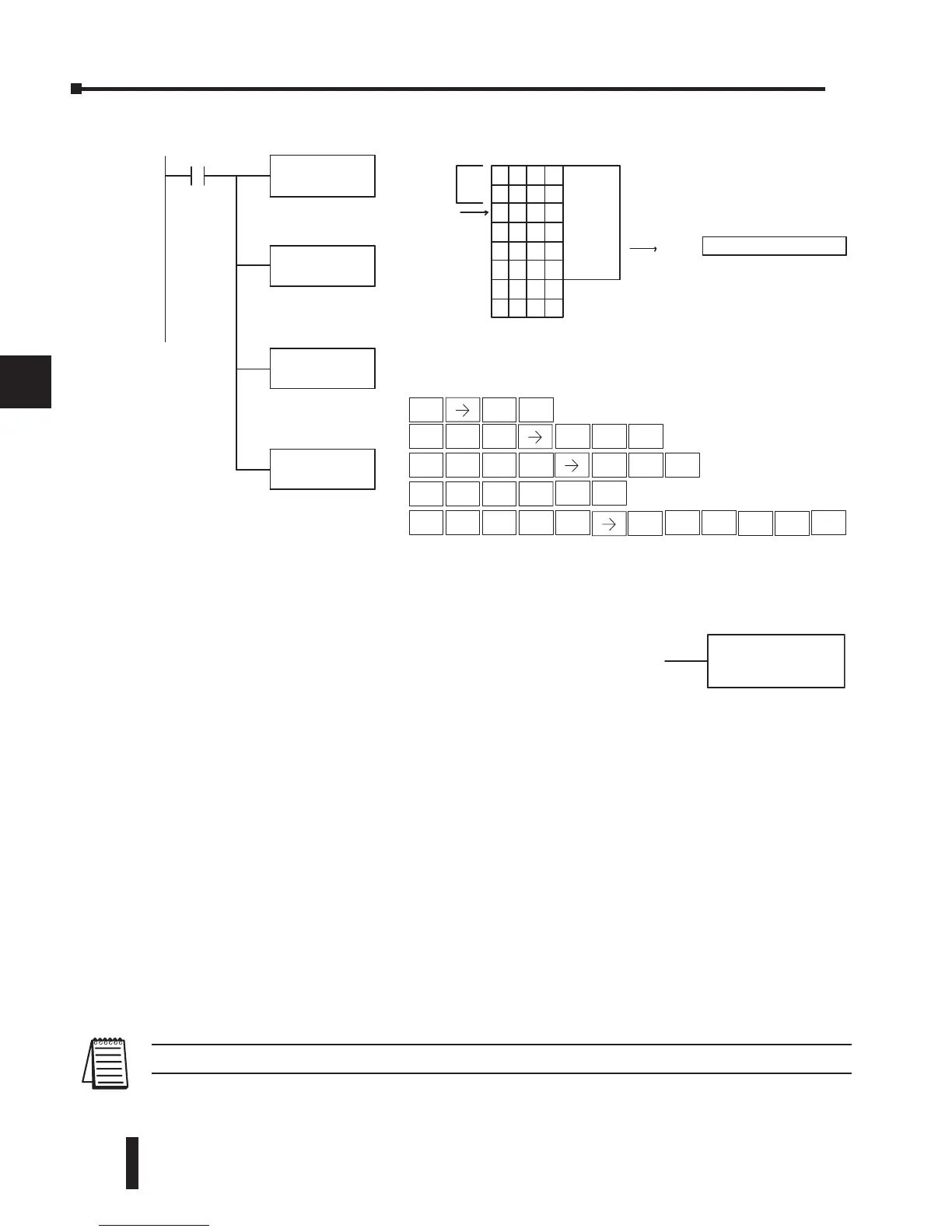
Step 1: Load the length of the table (up to 255 locations) into the first level of the
accumulator stack. This parameter must be a HEX value, 0–FF.
Step 2: Load the starting V-memory location for the table into the accumulator. This
parameter must be a HEX value.
Step 3: Insert the FDGT instruction which specifies the greater than search value.
Results:— The offset from the starting address to the first V-memory location
which contains the greater than search value (in HEX) which is returned to
the accumulator. SP53 will be set On if the value is not found and 0 will be
returned in the accumulator.
Helpful Hint: — For parameters that require HEX values when referencing memory
locations, the LDA instruction can be used to convert an octal address to the HEX equivalent
and load the value into the accumulator.
NOTE: This instruction does not have an offset, such as the one required for the FIND instruction.
S
Offs e
t
Ta blelength
V1404 contains theloc ation
wherethe matc hwas found.
Thevalue 8989 wasthe 4th
location afterthe startofthe
specifiedtable
.
DirectSOFT
Find Greater Than (FDGT)
The Find Greater Than instruction is used to search for the first
occurrence of a value in a V-memory table that is greater than the
specified value (Aaaa), which can be either a V-memory location
or a 4-digit constant. The function parameters are loaded into the
first level of the accumulator stack and the accumulator by two
additional instructions. Listed below are the steps necessary to
program the Find Greater Than function.



 To Next Page