DL06 Micro PLC User Manual, 3rd Edition, Rev. E
5-151
Chapter 5: Standard RLL Instructions
1
2
3
4
5
6
7
8
9
10
11
12
13
14
A
B
C
D
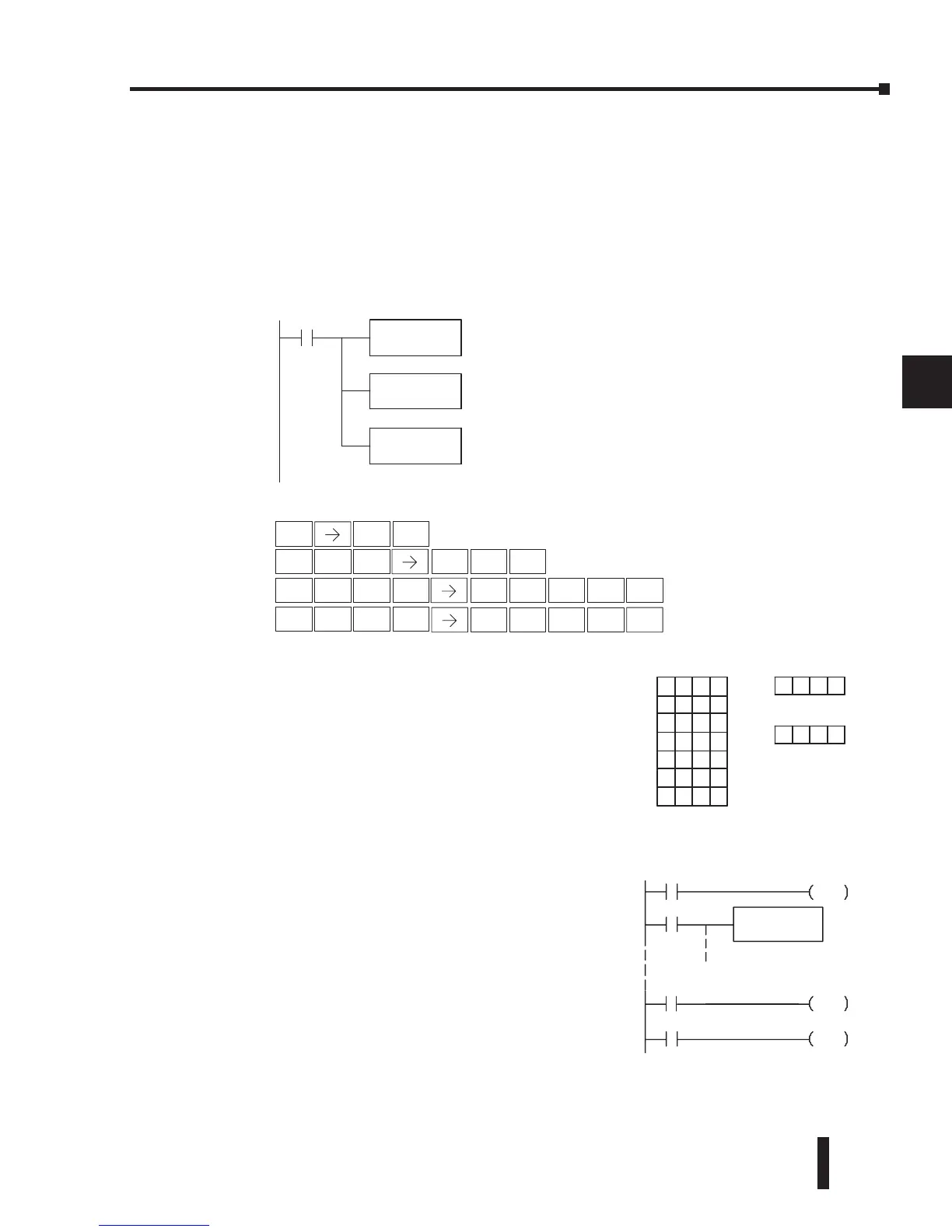
In the following example, when X1 is on, the constant value (K6) is loaded into the
accumulator using the Load instruction. This value specifies the length of the table and
is placed in the first stack location after the Load Address instruction is executed. The
octal address 1400 (V1400) is the starting location for the source table and is loaded into
the accumulator. Remember, V1400 is used as the pointer location, and is not actually
part of the table data source. The destination location (V1500) is specified in the Table to
Destination instruction. The table pointer (V1400 in this case) will be increased by “1” after
each execution of the TTD instruction.
DirectSOFT32
X1
LD
K6
LDA
0 1400
TTD
V1500
Load the constant value 6
(HEX) into the lower 16 bits
of the accumulator
Convert octal 1400 to HEX
300 and load the value into
the accumulator. This is the
table pointer location
Copy the specified value from
the table to the specified
destination (V1500)
Handheld Programmer Keystrokes
STR
$
SHFT
ANDST
L
3
D
SHFT
MLR
T
MLR
T
3
D
PREV
1
B
ENT
6
G
0
A
0
A
ENT
SHFT
ANDST
L
3
D
1
B
4
E
0
A
ENT
0
A
1
B
5
F
0
A
ENT
V1401
050 0
V1402 999 9
V1403
307 4
V1404
898 9
V1405
101 0
V1406
204 6
V1407
XXX X
S
S
V150
000 0
TablePointerTable
DirectSOFT32
(optional latch example using SP56)
X1
C1
C0
SP56
C0
PD
C1
SET
C1
RST
LD
K6
Load the constant value 6
(HEX) into the lower 16 bits
of the accumulator
Since Special Relays are
reset at the end of the scan,
this latch must follow the TTD
instruction in the program
DirectSOFT
DirectSOFT
It is important to understand how the table locations
are numbered. If you examine the example table,
you’ll notice that the first data location, V1401, will
be used when the pointer is equal to zero, and again
when the pointer is equal to six. Why? Because the
pointer is only equal to zero before the very first
execution. From then on, it increments from one to
six, and then resets to one.
Also, our example uses a normal input contact (X1) to
control the execution. Since the CPU scan is extremely
fast, and the pointer increments automatically, the
table would cycle through the locations very quickly.
If this is a problem, you have an option of using SP56
in conjunction with a one-shot (PD) and a latch (C1
for example) to allow the table to cycle through all
locations one time and then stop. The logic shown
here is not required, it’s just an optional method.


 To Next Page
 Loading...




