DL06 Micro PLC User Manual, 3rd Edition, Rev. E
5-173
Chapter 5: Standard RLL Instructions
1
2
3
4
5
6
7
8
9
10
11
12
13
14
A
B
C
D
CPU Control Instructions
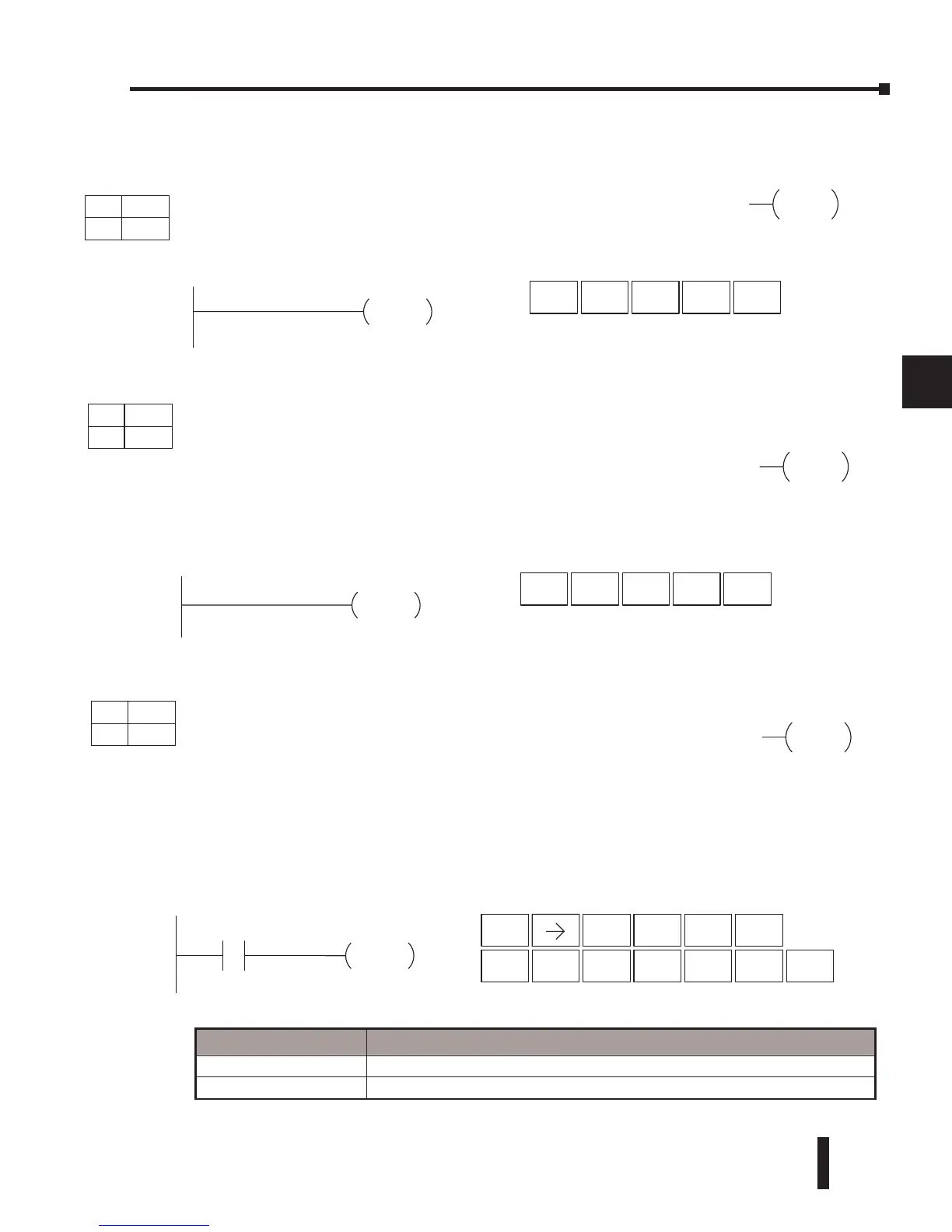
No Operation (NOP)
The No Operation is an empty (not programmed) memory location.
In the following example, when C0 turns on, the CPU will stop operation and switch to the
program mode.
NOP
END
Direct SOFT32
Handheld
Programmer Keystrokes
END
SHFT
4
E
TMR
N
3
D
ENT
STOP
Handheld Programmer Keystrokes
ST
OP
C0
STR
$
SHFT ENT
2
C
0
A
SHFT
RST
S
MLR
T
INST#
O
CV
P
ENTSHFT
Discrete Bit Flags Description
SP16 On when the DL06 goes into the TERM_PRG mode.
SP53 On when the DL06 goes into the PRG mode.
Direct SOFT32
Handheld Programmer Keystrokes
NOP
SHFT
TMR
N
INST#
O
CV
P
ENT
DS Used
HPP Used
DS Used
HPP Used
DS Used
HPP Used
DirectSOFT
DirectSOFT
DirectSOFT
End (END)
The End instruction marks the termination point of the normal program
scan. An End instruction is required at the end of the main program
body. If the End instruction is omitted, an error will occur and the CPU
will not enter the Run Mode. Data labels, subroutines and interrupt
routines are placed after the End instruction. The End instruction is not
conditional; therefore, no input contact is allowed.
Stop (STOP)
The Stop instruction changes the operational mode of the CPU from
Run to Program (Stop) mode. This instruction is typically used to stop
PLC operation in an error condition.



 To Next Page