DL06 Micro PLC User Manual, 3rd Edition, Rev. E
5-221
Chapter 5: Standard RLL Instructions
1
2
3
4
5
6
7
8
9
10
11
12
13
14
A
B
C
D
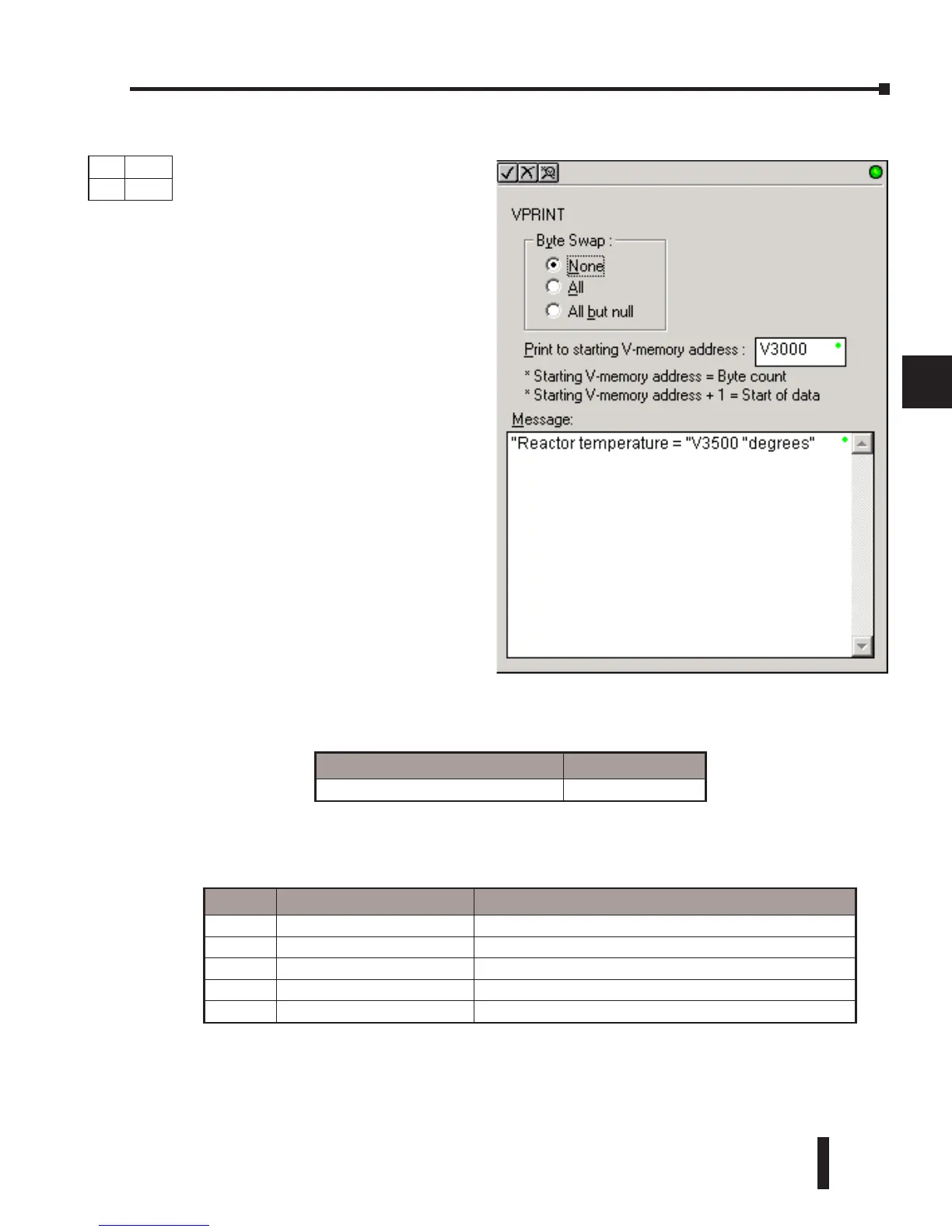
ASCII Print to V–memory (VPRINT)
• Starting V–memory Address +1: the 2nd and subsequent registers will contain the ASCII
string printed to V–memory.
VPRINT Time/Date Stamping– the codes in the table below can be used in the VPRINT
ASCII string message to “print to V–memory” the current time and/or date.
# Character code Date / Time Stamp Options
1 _date:us American standard (month/day/2 digit year)
2 _date:e European standard (day/month/2 digit year)
3 _date:a Asian standard (2 digit year/month/day)
4 _time:12 standard 12 hour clock (0–12 hour:min am/pm)
5 _time:24 standard 24 hour clock (0–23 hour:min am/pm)
Parameter DL06 Range
Print to Starting V–memory Address All V–memory
DS Used
HPP
N/A
The ASCII Print to V–memory
instruction will write a specified ASCII
string into a series of V–memory
registers. Other features include Byte
Swap, options to suppress or convert
leading zeros or spaces, and _Date and
_Time options for U.S., European, and
Asian date formats and 12 or 24 hour
time formats.
• Byte Swap: swaps the high–byte and
low–byte within each V–memory
register the ASCII string is printed
to. See the SWAPB instruction for
details.
• Print to Starting V–memory
Address: specifies the beginning of a
series of V–memory addresses where
the ASCII string will be placed by the
VPRINT instruction.
• Starting V–memory Address: the
first V–memory register of the series
of registers specified will contain the
ASCII string’s length in bytes.



 To Next Page