DL06 Micro PLC User Manual, 3rd Edition, Rev. E
5-239
Chapter 5: Standard RLL Instructions
1
2
3
4
5
6
7
8
9
10
11
12
13
14
A
B
C
D
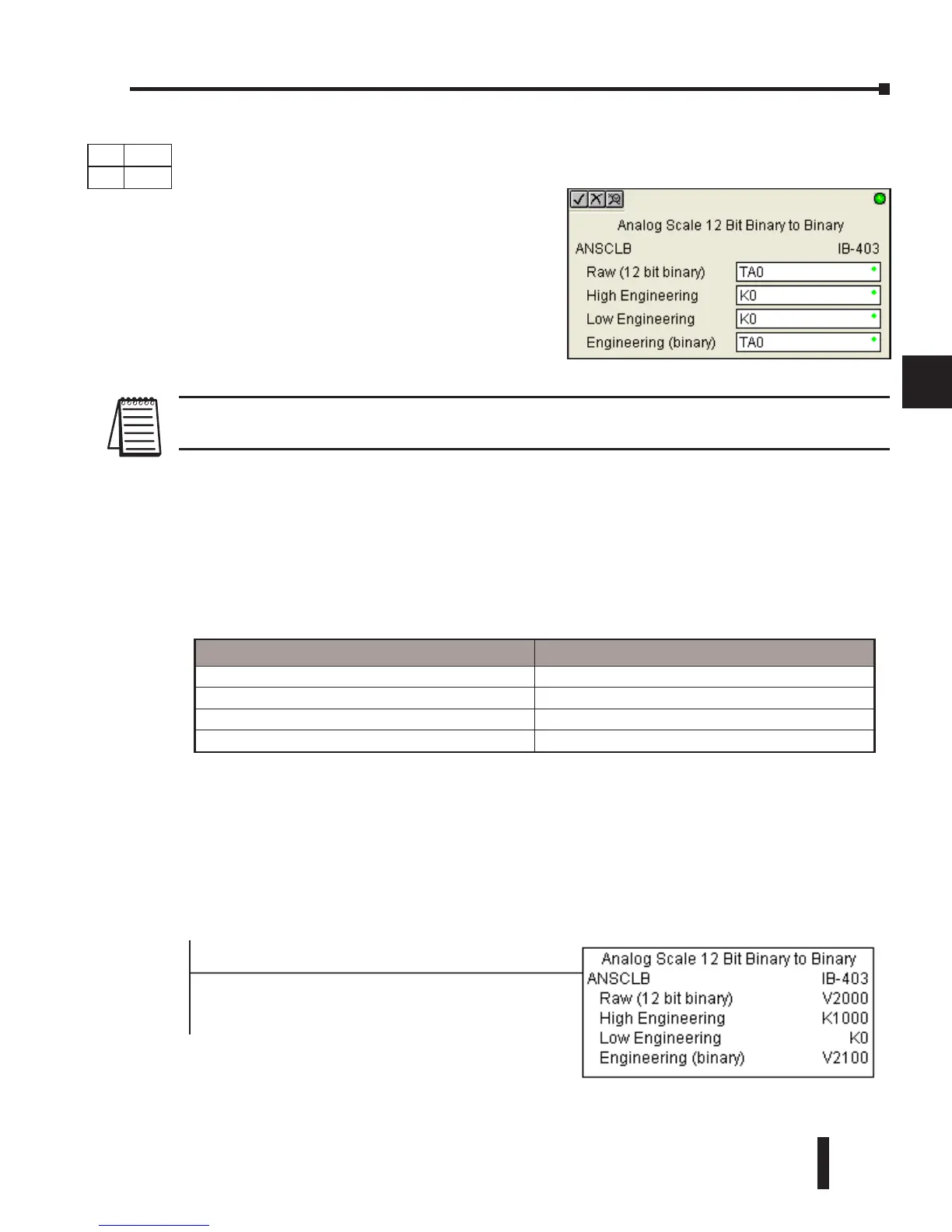
Analog Scale 12 Bit Binary to Binary (ANSCLB) (IB-403)
NOTE: This IBox only works with unipolar unsigned raw values. It does NOT work with
bipolar, sign plus magnitude, or signed 2’s complement raw values.
ANSCLB Parameters
• Raw (12 bit binary): specifies the V-memory location of the unipolar unsigned raw decimal unscaled
value (12 bit binary = 0-4095 decimal)
• High Engineering: specifies the high engineering value when the raw input is 4095 decimal
• Low Engineering: specifies the low engineering value when the raw input is 0 decimal
• Engineering (binary): specifies the V-memory location where the scaled engineering decimal value
will be placed
ANSCLB Example
In the following example, the ANSCLB instruction is used to scale a raw value (0-4095 binary)
that is in V2000. The engineering scaling range is set 0-1000 (low engineering value - high
engineering value). The scaled value will be placed in V2100 in binary format.
Parameter DL06 Range
Raw (12 bit binary) V,P See DL06 V-memory map - Data Words
High Engineering K K0-65535
Low Engineering K K0-65535
Engineering (binary) V,P See DL06 V-memory map - Data Words
DS Used
HPP
N/A
1
Analog Scale 12 Bit Binary to Binary scales a 12
bit binary analog value (0-4095 decimal) into
binary (decimal) engineering units. You specify
the engineering unit high value (when raw is
4095), and the engineering low value (when raw
is 0), and the output V-Memory address you
want to place the scaled engineering unit value.
The engineering units are generated as binary
and can be the full range of 0 to 65535 (see
ANSCL - Analog Scale 12 Bit BCD to BCD if
your raw units are in BCD format).



 To Next Page