DL06 Micro PLC User Manual, 3rd Edition, Rev. E
5-272
Chapter 5: Standard RLL Instructions
1
2
3
4
5
6
7
8
9
10
11
12
13
14
A
B
C
D
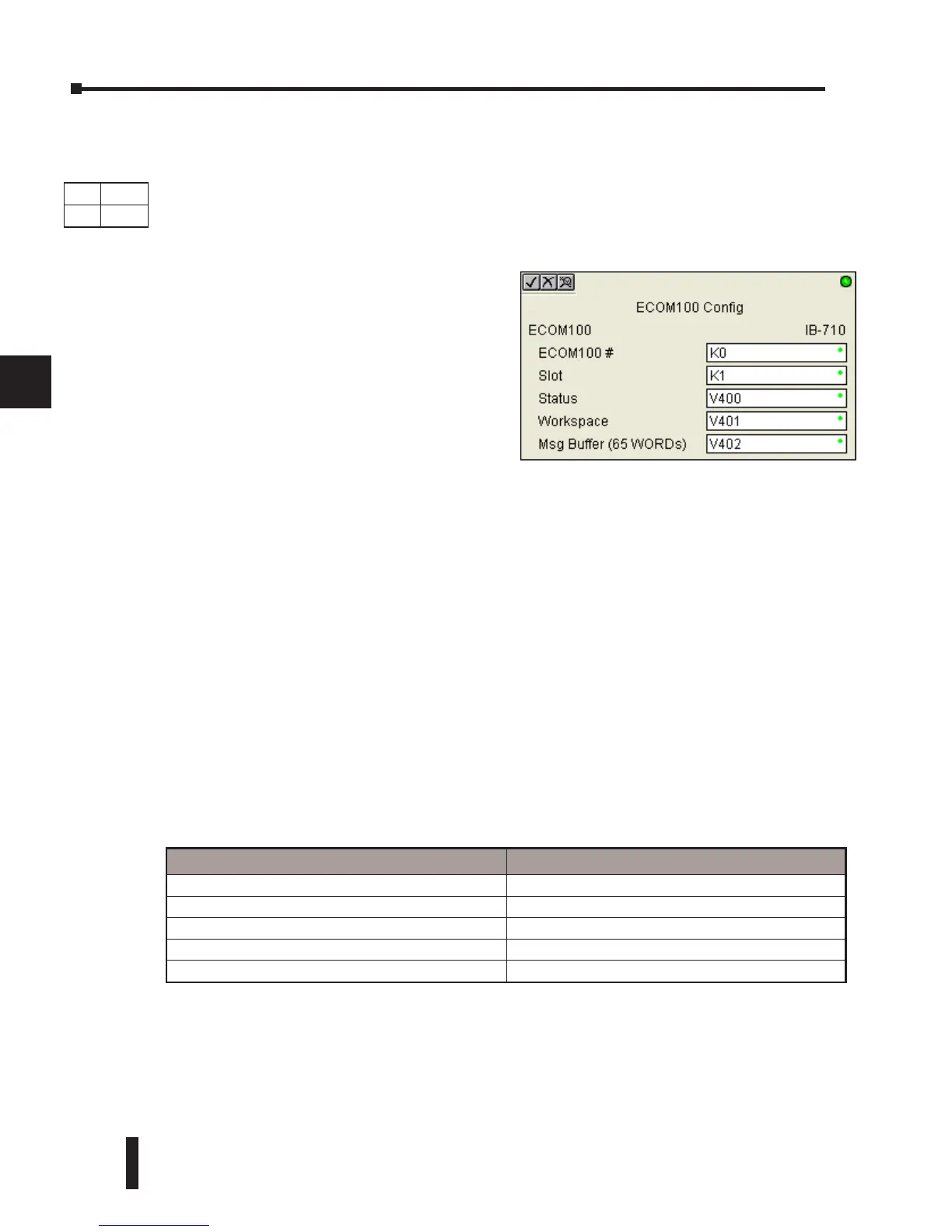
ECOM100 Configuration (ECOM100) (IB-710)
ECOM100 Configuration defines the parameters other ECOM100 IBoxes will use when
working with this specific ECOM100 module. Each ECOM100 module that will be used with
IBox instructions will require a unique ECOM1000 Configuration instruction. The addresses
used become workspaces for the IBox instruction to use.
In order for MOST ECOM100 IBoxes to function, DIP switch 7 on the ECOM100 circuit
board must be ON DIP switch 7 can remainOFF if ECOM100 Network Read and Write
IBoxes (ECRX, ECWX) are the only IBoxes that will be used.
ECOM100 Configuration Parameters
• ECOM100#: specify a logical number to be associated with this particular ECOM100 module. All
other ECxxxx IBoxes that need to reference this ECOM1000 module must reference this logical
number
• Slot: specifies the option slot the module occupies
• Status: specifies a V-memory location that will be used by the instruction
• Workspace: specifies a V-memory location that will be used by the instruction
• Msg Buffer: specifies the starting address of a 65 word buffer that will be used by the module for
configuration
DS Used
HPP
N/A
Parameter DL06 Range
ECOM100# K K0-255
Slot K K1-4
Status V See DL06 V-memory map - Data Words
Workspace V See DL06 V-memory map - Data Words
Msg Buffer (65 words used) V See DL06 V-memory map - Data Words
The addresses used in this instruction must
not be used elsewhere in the program.
The instructions must be placed at the top of
ladder, without a contact. The instruction
will inherently run only once, on the first
scan.
IBoxes ECEMAIL, ECRX, ECIPSUP and
others require an ECOM100 Configuration
before they will operate properly.



 To Next Page