- 20 -
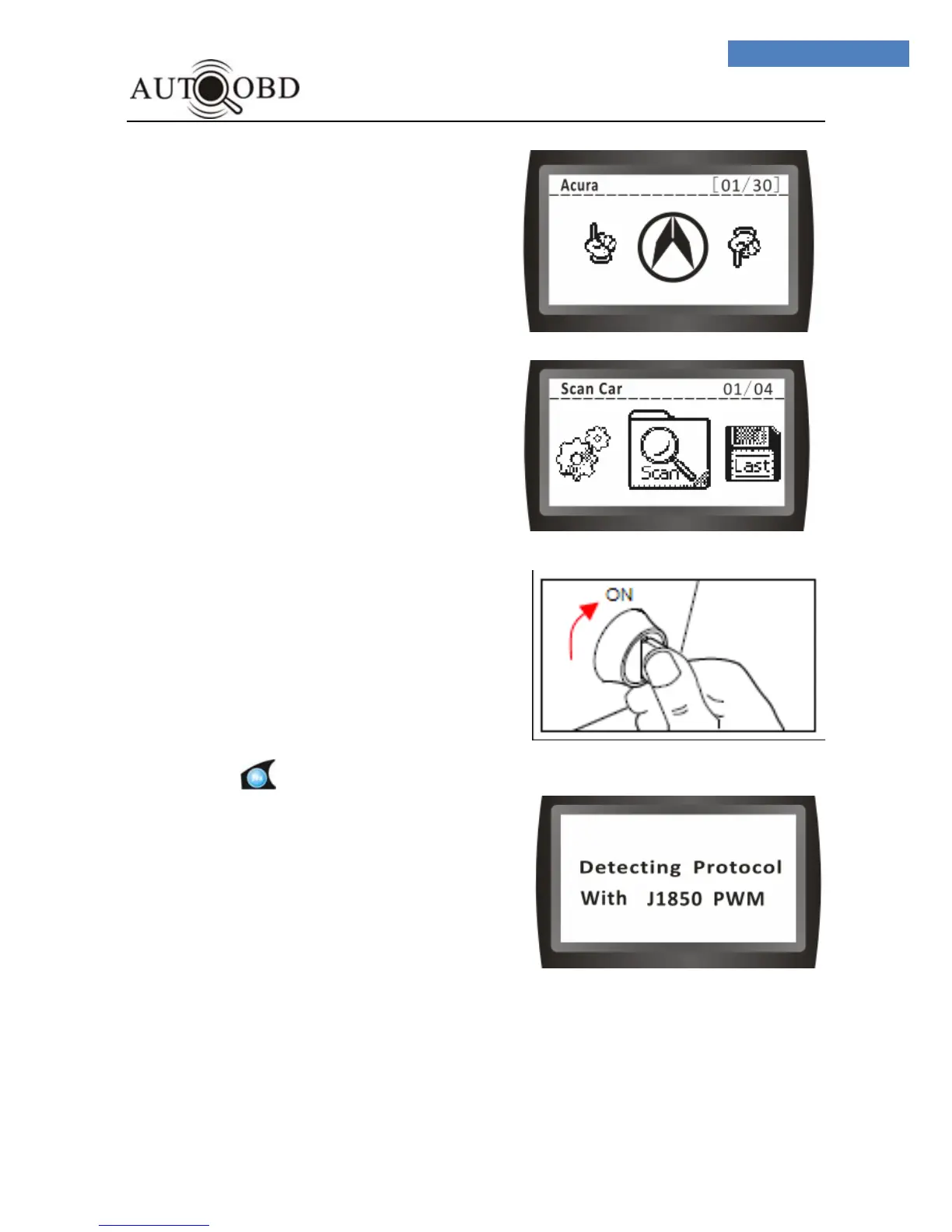
4. After a few seconds, it will switch to:
5. If the vehicle Diagnostic Protocol is
OBD-II,But the DTC Code is
MANUFACTORY,Please press UP or
DN button,then press yes , the screen
will change to:
Or else, Press NO,forget this step and
Select MF
6.Turn the ignition on.
DO NOT start the engine.
7.Press the button once, the
Scan tool will automatically start to
communicate the ECU of vehicle
and search which type of
communication protocol is using.
Once the Scan tool identifies the
computer’s communications
protocol, a communication link is
established.
The protocol type will be shown on
the LCD display.



 To Next Page