- 17 -
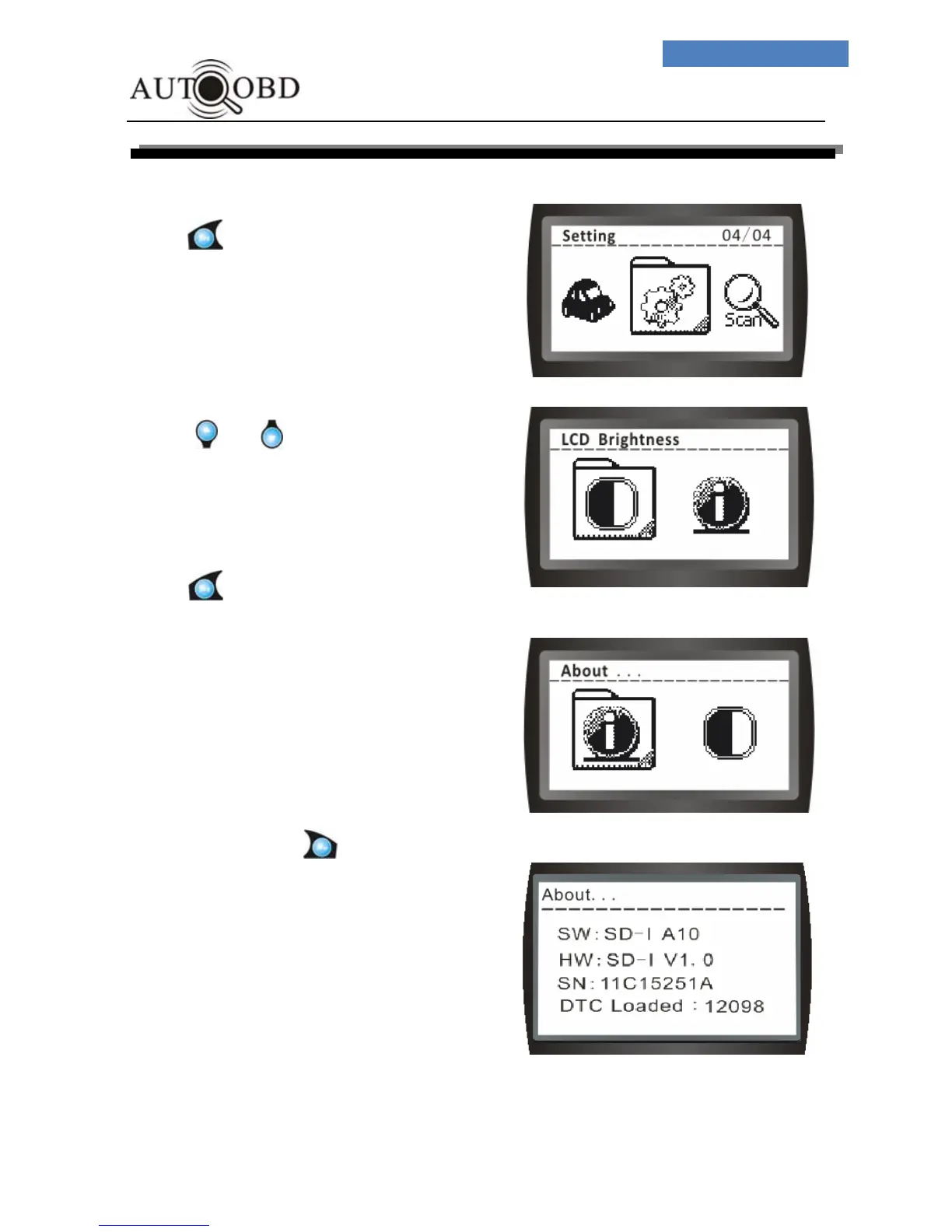
About …
Enter the Setting Menu,
Press button.
The screen will change to:
Press or button
:
The screen will change to
Press button.
The screen will change to:
SW:Scan tool Software Number
HW:Scan tool Hardware Number
SN: Scan tool Serial Number
DTC Loaded: DTC Loaded quantity
To exit totally, press button, Exit Menu.



 To Next Page