- 8 -
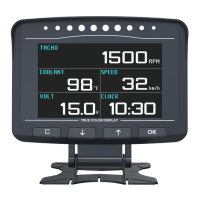
2. Fuel type - Choose petrol or other type fuel, fuel consumption
data will be much different.
3. Overspeed alarm - When it reaches to the scheduled speed, it will
tick to alarm, and the character for speed will display in red.
4. Water temperature warning - When it reaches to the schechuled
engine temperature, it will tick to alarm, and the character for
temperature will display in red.
5. Shift reminding - When it reaches to the scheduled speed, it will
remind to shift, and display shift symbol.
6. Shift reminding limit - When it reaches to the scheduled speed, it
will turn off shift reminding, in case it exceeds the scheduled speed, and
cannot shift up.
7. Standby time - After the vehicle shuts down, and it reaches to the
scheduled standby time, X60 will change to automatic sleep.
8. Speed error adjustment - when the speed is 100km, adjust
displayed speed of X60 to 100km.
9. Battery voltage adjustment - Adjust X60 voltage to display
accurately.
10. Voltage warning - To remind the driver if the battery is under
charge
11. Color of number - 7 colors to choose.
12. Speed to zero - In idle speed mode, speed will display zero if it is
lower than the scheduled.
13. Fuel consumption adjustment - Average fuel consumption is
less the actual. If it displays more, adjust the percentage to be smaller,
and vice versa.
14. Reset - X60 will revert to the initial state.



 To Next Page