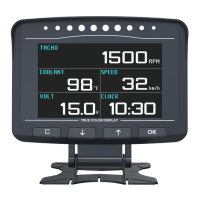
The AUTOOL X91 TPMS is a Tire Pressure Monitoring System that combines TPMS, GPS Head Up Display, and Vehicle Slope Meter functionalities into a single device. It is designed to enhance driving safety and provide comprehensive vehicle information to the driver.
Function Description
The X91 TPMS integrates several key features:
- TPMS (Tire Pressure Monitoring System): Monitors tire pressure and temperature in real-time, providing alerts for low pressure, high pressure, and high temperature. It supports up to four tires and displays individual tire data.
- GPS Head Up Display (HUD): Displays essential driving information such as speed, altitude, longitude, latitude, and compass direction directly in the driver's line of sight, reducing the need to look down at the dashboard.
- Vehicle Slope Meter: Measures the vehicle's roll and pitch angles, providing real-time data on the vehicle's inclination. This is particularly useful for off-road driving or navigating uneven terrain.
- Automatic Monitoring of Vehicle Driving Conditions: The device automatically monitors various driving parameters and provides alerts for potential issues.
- Adjustable Screen Brightness: The display brightness automatically adjusts based on ambient light intensity, ensuring optimal visibility day and night.
- Free-Wheel Rotation Feature: The device features a free-wheel rotation design, allowing for flexible positioning and viewing angles.
- High-Definition Display: Equipped with a high-resolution colored screen for clear and crisp data presentation.
- Carbon Fiber Exterior: The device boasts a carbon fiber exterior body design, offering durability and a sleek aesthetic.
- Auto On/Off (Sleep Mode): The device automatically turns on when the engine starts and enters sleep mode when the engine is off, conserving power.
The display interface includes several key indicators:
- Roll Angle Display (A): Indicates the real-time reading of the vehicle's roll angle, with a range of -40° to +40°.
- Pitch Angle Display (B): Shows the real-time reading of the vehicle's pitch angle, with a range of -40° to +40°.
- Digital Pitch Angle Display Area (C): Displays the numerical value of the pitch angle.
- Digital Roll Angle Display Area (D): Displays the numerical value of the roll angle.
- Ound Indication Icon (E): An instrument status icon that illuminates and stays on when a normal sound level is detected, and flashes when a hidden sound is detected.
- TPMS Tire Pressure Monitoring Area (F): Displays real-time tire pressure and temperature, with an alarm function for 4 tires.
- One-Speed Alarm Indication Icon (G): Flashes and emits an audible sound when the vehicle speed exceeds the preset speed limit (default is 120KM/H).
- GPS Satellite Speed Display Area (H): Shows the live vehicle speed.
- Latitude and Longitude Display Area (I): Displays real-time updates of vehicle coordinates.
- Fatigue Driving Alarm Indication Icon (J): Illuminates when the instrument keeps on working for over 4 hours.
- Compass Display Area (K): Provides real-time updates of directional position.
- Satellite Signal Indication Icon (L): Flashes continuously when there is no satellite signal or searching for pending signals, and stays on after receiving the signal.
- Altitude Display Area (M): Displays real-time updates of vehicle altitude.
- GPS Satellite Time Display Area (N): Shows real-time updates of clock information.
- Battery Voltage Display Area (O): Displays the current battery voltage value.
Important Technical Specifications
| Parameter |
Specification |
| Power Supply |
DC 10V ~ 30V |
| Pitch Angle |
-40° ~ +40° |
| Data Error |
< 1 minute |
| Voltage Precision |
0.5V |
| GPS Cold Start Duration |
32s (Average) |
| GPS Update Rate |
1s |
| Dimension |
705959 (mm) |
| Working Temperature |
-40°C ~ +80°C |
| Roll Angle |
-40° ~ +40° |
| Voltage Range |
DC 5V ~ 30V |
| Speed Precision |
< 0.36km/h |
| GPS Hot Start Duration |
1s (Average) |
| Wireless Transmission Frequency |
2.4GHz |
| Weight |
203g |
Usage Features
The device features a user-friendly interface with intuitive button controls:
- "M" Function Button:
- Short press to activate or inactivate the sound.
- Long press to enter the setting selection.
- Short press during setting selection to decrease the parameter.
- 2 seconds press during setting selection to access further parameter settings.
- Right Button:
- Short press to reset the roll and pitch angle.
- Long press to turn off/on the instrument.
- Short press during setting selection to increase the parameter.
- Long press during setting selection to save and exit the setting.
Installation Steps:
- Park the car on a level surface and stick the back adhesive to fix it somewhere with easy vision, and manually adjust it to the horizontal level. Then connect the power supply to realize the satellite GPS signal and each data display is normal before driving.
- Install the external sensors:
- Spin the anti-theft nut counterclockwise against the sensor.
- Tighten the anti-theft nut counterclockwise with a wrench after tightening the sensor.
- Spin the anti-theft nut clockwise to top the sensor.
- Tighten the anti-theft nut with a wrench after topping the sensor.
Warm Tip: After installing the complete set of sensors, start the vehicle for a certain distance and observe whether the receiving host normally receives data or not. If not, contact customer service for technical consultation.
Maintenance Features
Warranty:
- The product comes with a 3-year warranty for the main unit and a 1-year warranty for the accessories, starting from the date customers receive the product parcel.
Warranty Access:
- Repair or replacement of equipment will be done according to specific fault conditions.
- All replacement parts, accessories, or equipment are brand new.
- If a product breakdown cannot be solved within 90 days, customers should provide video and pictures as proof. The freight cost will be borne by the customer, and the accessories will be replaced. After receiving the product for more than 90 days, the customer will bear the freight cost, and the accessory will be provided for free.
Warranty Not Covered in Conditions Listed Below:
- Product bought through non-official AUTOOL purchase channels.
- Product failure caused by incorrect use of the product, use for other wrong purposes, or human factors.
Disclaimer:
AUTOOL Technology Co., Ltd. reserves the right to change product designs and specifications without prior notice. The physical appearance and color may differ from those shown in the manual. Please refer to the actual product. If you have any questions, please contact the dealer or the AUTOOL service center. The company has no financial liability for product and shall not bear any consequences due to misunderstanding.

 Need help?
 General

 To Next Page