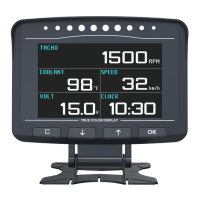
AUTOOL BT 760
5. Introduction of Display Interface and Function
A- Roll angle alarm icon, when the roll angle of the car reaches 30 degrees, this
icon will light up and give an alarm sound.
B- Roll angle indication area, real-time measurement of vehicle roll angle, using
free rotation, left and right angles of 40 degrees.
C - Digital speed display area, showing the current speed (motion speed).
D- Engine speed dashboard display, indicating the current speed of the engine
(dashboard speed).
E-Satellite Vehicle Speed Display Area, which shows the current speed of the
vehicle as it travels.
F- Water tank temperature display area, real-time display of water temperature.
G- Elevation indicator area, real-time measurement of vehicle elevation angle,
using free rotation, front and rear angles of 40 degrees.
H- Automobile battery voltage monitoring display area, showing the current
battery voltage value.
I - Over speed alarm. When the car arrives at 120KM/H, this icon will light up and
make an alarm sound. (You can also turn off the alarm sound)
J - Fatigue driving alarm. When the car runs continuously for 4 hours, this icon
will light up and give an alarm sound.
Sound Close/Open icon. When the sound is turned on, the icon is lit, but not
when it is turned off. (You can open/close by pressing the right button for a long
time.



 To Next Page