EasyManua.ls Logo

AUTOPRO BD1208 - Remote Control Operation; Remote Control Layout and Buttons

AUTOPRO BD1208
12 pages
Print Icon
To Next Page IconTo Next Page
To Previous Page IconTo Previous Page
Loading...
7
I
n
s
t
a
l
l
t
i
o
n
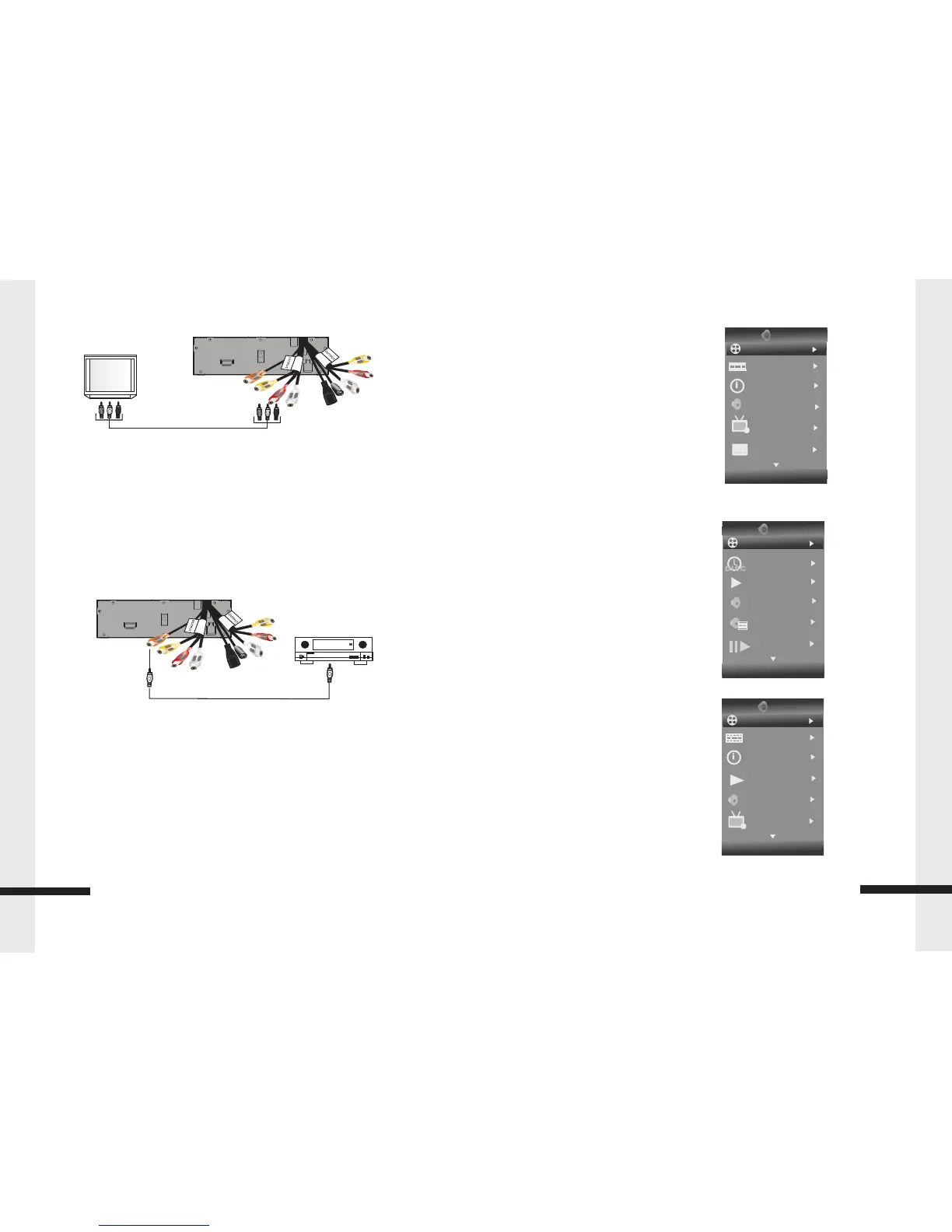
Back of player
TV
YELLOW=VIDEO
WHITE=LEFT AUDIO
RED=RIGHT AUDIO
Connect your Blu-Ray Player audio to a digital amplifier or home theater system:
Connect a digital coaxial cable from the Coaxial Digital Out jack on the back of your
Blu-Ray Player to the Coaxial Digital In jack on the receiver.
Back of player
HOME THEATER SYSTEM
CONNECT TO THE COAXIAL DIGITAL OUT JACK
OSC Play setting Menu
BD Disc Type
Title
Chapter
Time
Audio
Angle
Subtitle
Subtitle Style -- BD
Second Video -- BD
Second Audio -- BD
Bitrate
Still Off
Instant Search
Disc Type DVD
Title
Chapter
Time
Audio
Angle
Subtitle
Bitrate
Still Off
Instant Search
Instant Replay
Disc Type VCD
1.Track
2. Time
3.Mode
4.Audio
5.Bitrate
6.Instant Search
7.Instant Replay
16
BDMV
01/01
01/12
Title
00:00:09
00:00:09
01/01
Off
TT
VCD 2.0
01/01
Track
00:00:30
1/4
01/01
Off
Normal
BDMV
01/01
01/12
Title
00:00:09
Normal
MPEG
01/01
TT
Audio Setting