EasyManua.ls Logo

AUVIO HBT200W - User Manual

AUVIO HBT200W
10 pages
Print Icon
To Next Page IconTo Next Page
Loading...
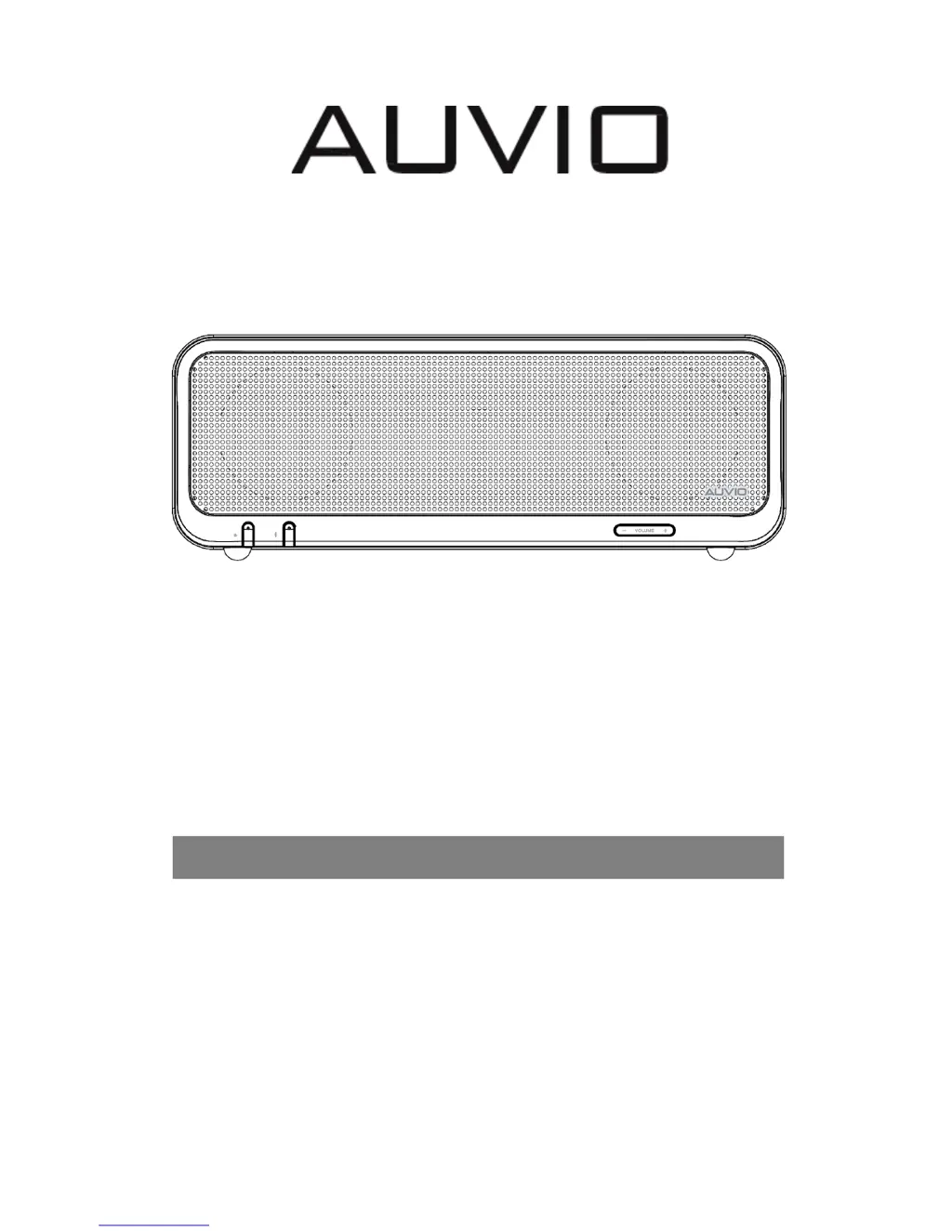
HBT200W
Cat. No.: 4000464
Bluetooth Speaker
Instruction Manual

Questions and Answers

  • M
    Mr. Kevin BakerAug 3, 2025
    What to do if my Bluetooth device won't pair with AUVIO Speakers?
    • D
      Duane PriceAug 3, 2025
      If you're having trouble pairing your Bluetooth device with the AUVIO Speakers, consider the following: * Ensure your Bluetooth device is set to be discoverable. * Your device might be out of range; try moving it closer to the Speaker. * Confirm that your Bluetooth device supports audio transfer. * Move both your Bluetooth device and the Speaker away from other devices that could be causing electromagnetic interference. * Turn off other nearby Bluetooth devices or disable their Bluetooth functionality. * Also, try turning the Speaker off and then back on.
  • D
    Dana AndersonAug 8, 2025
    What to do if my paired Bluetooth device will not connect to AUVIO HBT200W?
    • D
      Duane JohnsonAug 9, 2025
      If a paired Bluetooth device is failing to connect to your AUVIO Speakers: * If a passkey is required, double-check that you've entered it correctly. * Try turning the Speaker off and then on again. * Remove the Speaker from the Bluetooth device's pairing list and then re-pair them.
  • J
    Jeffrey PrestonAug 15, 2025
    Why is there no audio from my AUVIO HBT200W via Bluetooth?
    • F
      fhallAug 15, 2025
      If you're not getting any sound from your AUVIO Speakers when connected via Bluetooth, there are several things to check: * Ensure that your Speaker isn't muted and that the volume is turned up. * Verify that your Bluetooth device is playing audio and its volume is also up. * Your Bluetooth device might be too far away from the Speaker; try moving it closer. * As a last resort, try turning the Speaker off and then back on.
  • A
    andersonjamesAug 21, 2025
    What to do if AUVIO HBT200W Speakers are connected but not playing music?
    • E
      Eric JacobsAug 21, 2025
      If your AUVIO Speakers show a connection but aren't playing music, try these steps: * Turn off or disable Bluetooth on all other paired devices nearby, then reconnect the device you want to use. * Also, try turning the Speaker off and back on.
  • R
    Russell AustinAug 27, 2025
    Why is there no audio from the AUX source on my AUVIO HBT200W Speakers?
    • A
      aharrisAug 27, 2025
      If you're not getting any sound from the AUX source on your AUVIO Speakers: * Make sure the device you've connected is powered on and playing. * Ensure your Speaker is set to Aux in mode. * Check that the 3.5mm plug is fully inserted into the Speaker.

Summary

Safety Information

General Safety Precautions

Key safety guidelines and warnings to prevent electrical shock, fire, and other hazards.

Introduction and Package Contents

Package Contents

Details the items included in the product packaging.

Front View

Front Panel Controls and Indicators

Explains the functions of the speaker's buttons and status indicators.

Back View

Rear Panel Connectivity Ports

Details the available ports on the back of the speaker for connectivity.

Bluetooth Mode Operation

Turning On the Speaker

Steps to power on the speaker and prepare for Bluetooth connection.

Pairing with Bluetooth Devices

Guide on how to connect the speaker to Bluetooth-enabled devices.

Auxiliary Input Mode

Connecting via Aux-In Port

Instructions for connecting external audio sources using the auxiliary input.

Troubleshooting

Common Issues and Solutions

Addresses frequent problems and provides step-by-step solutions for resolution.

Technical Information and Statements

FCC Compliance and Specifications

Details technical specifications and regulatory compliance statements, including FCC guidelines.

AUVIO HBT200W Specifications

General IconGeneral
BrandAUVIO
ModelHBT200W
CategorySpeakers
LanguageEnglish

Related product manuals