EasyManua.ls Logo

AUVIO SBT32600SE - User Manual

AUVIO SBT32600SE
14 pages
Print Icon
To Next Page IconTo Next Page
Loading...
T H E P E R F O R M A N C E Y O U N E E D
®
®
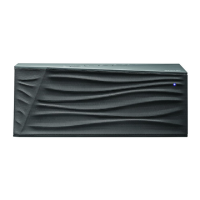
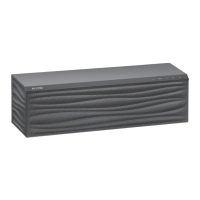
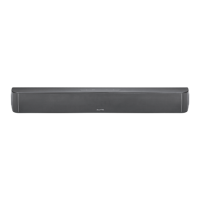
32” Soundbar
SBT32600SE
Users Guide 4000458
Please read this users guide before using your new
soundbar.
5 / Version 1.2 Brand / Confidential sonic emotion ag 2012
Logo
Standard version

Questions and Answers

  • J
    Joshua SmithAug 1, 2025
    What to do if Bluetooth function fails on AUVIO SBT32600SE?
    • A
      Adrian ArnoldAug 1, 2025
      If the Bluetooth function on your AUVIO Speakers fails, there are several things to try: * Ensure your Bluetooth device supports audio transfer, is discoverable, and has its volume turned up. Electromagnetic interference or other Bluetooth devices can cause interference, so avoid these. * If the connected device moves too far from the soundbar, move it closer to reestablish the connection automatically. * In Bluetooth mode without a Bluetooth connection, press and hold the EQ button on the soundbar to clear the list of paired devices, then pair the soundbar to your device again. * Try disconnecting and reconnecting the power to the soundbar, then turn it on.
  • M
    Marissa MossAug 14, 2025
    What to do if AUVIO SBT32600SE Speakers have unbalanced sound?
    • J
      Jeffrey ShawAug 14, 2025
      If the sound from your AUVIO Speakers is unbalanced and the volume remains low even when the soundbar’s volume is turned all the way up, check the source device to make sure it is connected via a variable output. Ensure the output is not turned down too low.

Summary

Important Safety Instructions

Mounting the Soundbar

Soundbar Connections

LINE IN Port Connection

Connect an audio device using a 3.5mm audio cable.

AUX IN Ports Connection

Connect to TV, DVD player, or game system using an RCA cable.

Operating the Soundbar

Auto Power-Off Settings

Configure soundbar to enter standby mode after a period of inactivity.

Bluetooth Connectivity

Remote Control Guide

Remote Control Battery Notes

Guidelines for proper installation, use, and disposal of remote control batteries.

Product Specifications

Troubleshooting Common Issues

FCC Compliance Information

Limited Warranty Details

AUVIO SBT32600SE Specifications

General IconGeneral
BrandAUVIO
ModelSBT32600SE
CategorySpeakers
TypePortable Bluetooth Speaker
Frequency Response100Hz - 20kHz
Bluetooth RangeUp to 33 feet (10 meters)
ConnectivityBluetooth

Related product manuals