EasyManua.ls Logo

AV Link STA40-BT - User Manual

AV Link STA40-BT
6 pages
Print Icon
To Next Page IconTo Next Page
Loading...
Item ref: 103.108UK
User Manual
STA40-BT
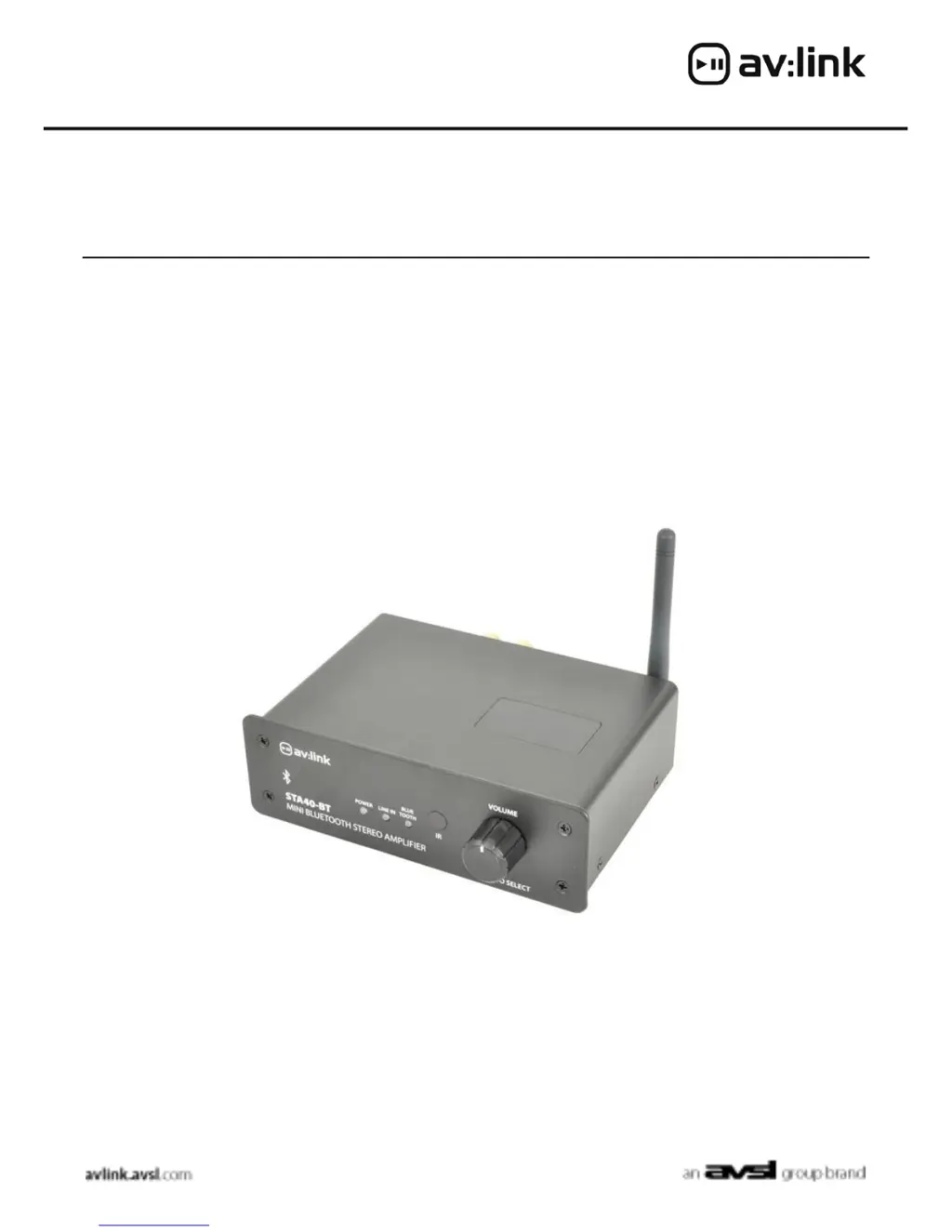
MINI DIGITAL STEREO AMPLIFIER
WITH BLUETOOTH™
Box contents:
1 x STA40-BT Amplifier
1 x Remote Control
1 x NFC Tag
1 x DC Power Supply

Questions and Answers

  • N
    Natalie ThomasAug 1, 2025
    What to do if AV Link Amplifier power is on but there is no music output?
    • J
      Jacob FryeAug 1, 2025
      If your AV Link Amplifier powers on but produces no music, verify the main power switch is on, the mains lead is undamaged and fully inserted into the DC adapter. Also, ensure the input connection is properly connected, the correct input is selected, and the audio device is playing. Confirm that the volume levels on both the audio device and the amplifier are appropriately raised. Finally, check that the speaker cable is correctly stripped and properly connected to both the amplifier and the speaker.
  • A
    Aaron ManningAug 7, 2025
    Why is my AV Link Amplifier unable to pair devices?
    • H
      Heidi BatesAug 7, 2025
      If your AV Link Amplifier is unable to pair with devices, first ensure that the Bluetooth™ function on your device is enabled and that the amplifier input is set to Bluetooth™. Check that the distance between the devices and the amplifier is within 10 meters, with no major obstructions in between. As a last resort, try restarting your Bluetooth™ device.
  • H
    Heather SmithAug 13, 2025
    What to do if AV Link STA40-BT Amplifier output is disrupted?
    • L
      Lisa WilliamsAug 13, 2025
      If the output from your AV Link Amplifier is disrupted, check that the output volume isn't set too high. Inspect the line input cable for wear or damage. When using a Bluetooth™ connection, ensure the amplifier isn't near any mains or a router. Also, verify that the speaker cable doesn't run along the mains cable, and confirm that the distance between the devices and the amplifier is within 10 meters without major obstacles.
  • E
    Elizabeth MeyerAug 18, 2025
    Why is the output diminishing on my AV Link Amplifier?
    • S
      Susan KimAug 18, 2025
      If the output from your AV Link Amplifier is diminishing, check that the speaker polarity is correctly connected, the audio source volume is sufficiently high, and the line-in connection cable is in good condition.
  • D
    Daniel ShieldsAug 26, 2025
    How to use NFC on AV Link STA40-BT?
    • B
      brian91Aug 26, 2025
      To use NFC with your AV Link Amplifier, first, check that your device is compatible with NFC. Then, ensure that the NFC data exchange function is enabled on your device. If your device is in a case, try removing it. Finally, make sure the distance between your device and the amplifier is within 10 meters and that there are no major obstacles in between.

Summary

Introduction and Box Contents

Box Contents

Lists the items included with the STA40-BT amplifier, such as the amplifier, remote control, NFC tag, and power supply.

Amplifier Features and Installation

Key Amplifier Features

Highlights Class D digital amplification, NFC tap-to-connect, aptX coding, and various input/output options.

Speaker Installation and Impedance

Details impedance output requirements and provides formulas for parallel and series speaker connections.

Device Panel and Connections

Front and Rear Panel Overview

Identifies all controls, indicators, and connection ports on the front and rear of the amplifier unit.

Operation and Input Methods

Remote Control Functions

Explains the buttons and their functions for operating the amplifier, including volume and input selection.

Using Audio Inputs

Guides on connecting and playing audio via Aux Line, Bluetooth, and NFC.

Specifications and Troubleshooting

Technical Specifications

Lists electrical and physical characteristics of the amplifier, including power, output, dimensions, and weight.

Troubleshooting: Power Issues

Addresses common problems like no power or the power LED not illuminating.

Advanced Troubleshooting

Troubleshooting: Audio and Connectivity

Resolves issues with diminishing output, pairing devices, NFC functionality, and disrupted audio.

AV Link STA40-BT Specifications

General IconGeneral
Power Output40W RMS per channel
Bluetooth RangeUp to 10 meters
Speaker Impedance4-8 ohms
Frequency Response20Hz - 20kHz
Bluetooth Version5.0
Total Harmonic Distortion<0.1%
Input Sensitivity500mV
InputsRCA
Output ConnectionsSpeaker terminals