103.108UK User Manual
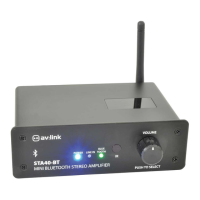
To use NFC function, first of all the NFC data exchange function needs to be swtiched on,
please refer to your device manual on how to enable NFC data exchange function. Once its
on, simply tap the back of the device to the NFC tag. A message should pop up to confirm if
you want to pair up with “STA40-BT”. Press YES or OK to confirm pairing. Please note,
detection of the NFC tag is within 3cm distance, covers or cases may prevent your device from
detecting the NFC tag. If this is the case, remove your case or cover and try again.
To check if your device is NFC enabled please check with the compatiblity list on the link
below:
http://en.wikipedia.org/wiki/List_of_NFC-enabled_mobile_devices
Specifications
Power Supply 100-240Vac, 50/60Hz
Power adaptor 24Vdc, 2910mA
Max. output 75W per channel
Output power 35Wrms @ 8Ω, 5% THD per channel
Output impedence 8Ω to 16Ω
Bluetooth™ range 10m
Bluetooth™ version 2.1
Dimensions 150 x 135 x 48mm
Weight 600g
Troubleshooting


 To Next Page