Need help?
Do you have a question about the Ava Fertility Tracker and is the answer not in the manual?
Explains who the Ava Fertility Tracker is intended for and its purpose.
Details the items included in the package and device compatibility requirements.
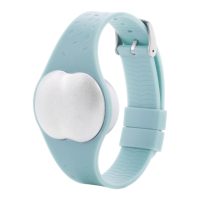
Lists the items provided in the Ava package.
Specifies the required operating systems for mobile devices.
Instructions on how to charge the Ava device.
Guides users through creating an account or logging into the Ava app.
Step-by-step instructions to connect the Ava device with the mobile app.
Specifies that Ava should be worn only while sleeping for at least four hours.
Instructions on how to attach the sensor pod to the Ava bracelet.
Details the proper positioning of Ava on the wrist for accurate data collection.
Explains how the device detects wear and starts recording physiological data.
Steps to sync data from the Ava device to the mobile application.
Explanation of app interface elements, icons, and buttons for iOS.
Defines symbols for predicted/recorded events and color coding for cycle phases.
Explanation of app interface elements, icons, and buttons for Android.
Information presented on the app's dashboard regarding the menstrual cycle.
The app's calendar feature for tracking and viewing cycle events.
Detailed physiological parameter data displayed in a graphical format.
Editing user profile details, status, and account information.
Feature for tracking pregnancy status and related information.
Functionality for logging and tracking personal metrics like weight.
Recommended operating temperature range for the Ava device.
Guidelines on device exposure to water, advising against submersion.
Recommendations for cleaning the Ava sensors to maintain signal quality.
Information on the wrist circumference compatibility for wearing Ava.
Details on Ava's rechargeable battery, its lifespan, and charging advice.
Guidelines for the proper disposal of the Ava device as electronic waste.
Information on how to access the return policy and warranty details.
Provides links and information regarding regulatory compliance.
Information on where to find answers to common questions and support.
Contact details for further assistance and social media links.


 To Next Page
 General