5Getting started
See our Privacy Policy at: www.avawomen.com/privacy
and Terms of Service at: www.avawomen.com/terms-of-service
Pairing Ava for the first time
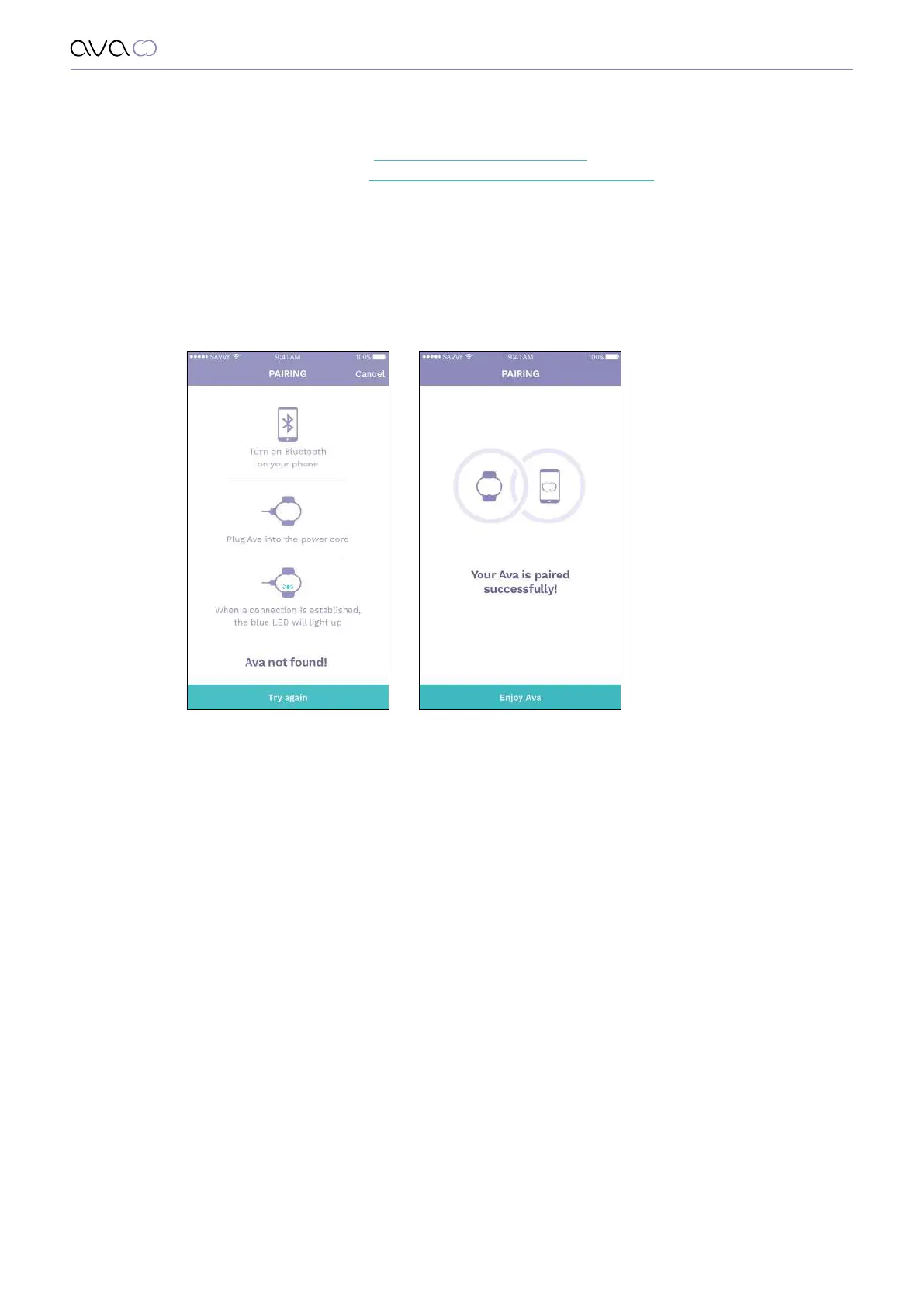
After you set up your account you will be asked to pair your Ava with the app.
In order to do so, follow the instructions on the screen:
• Turn on your phone’s Bluetooth
• Connect Ava to power through the USB cable.
The LED on your Ava should be flashing blue when the device is in pairing mode.
If you do not see this light, unplug the device from the charger and plug it again.
• After your device is recognized, tap “Pair Ava”
Your Ava is paired and ready to be used.


 To Next Page