24
Replacing the Filters
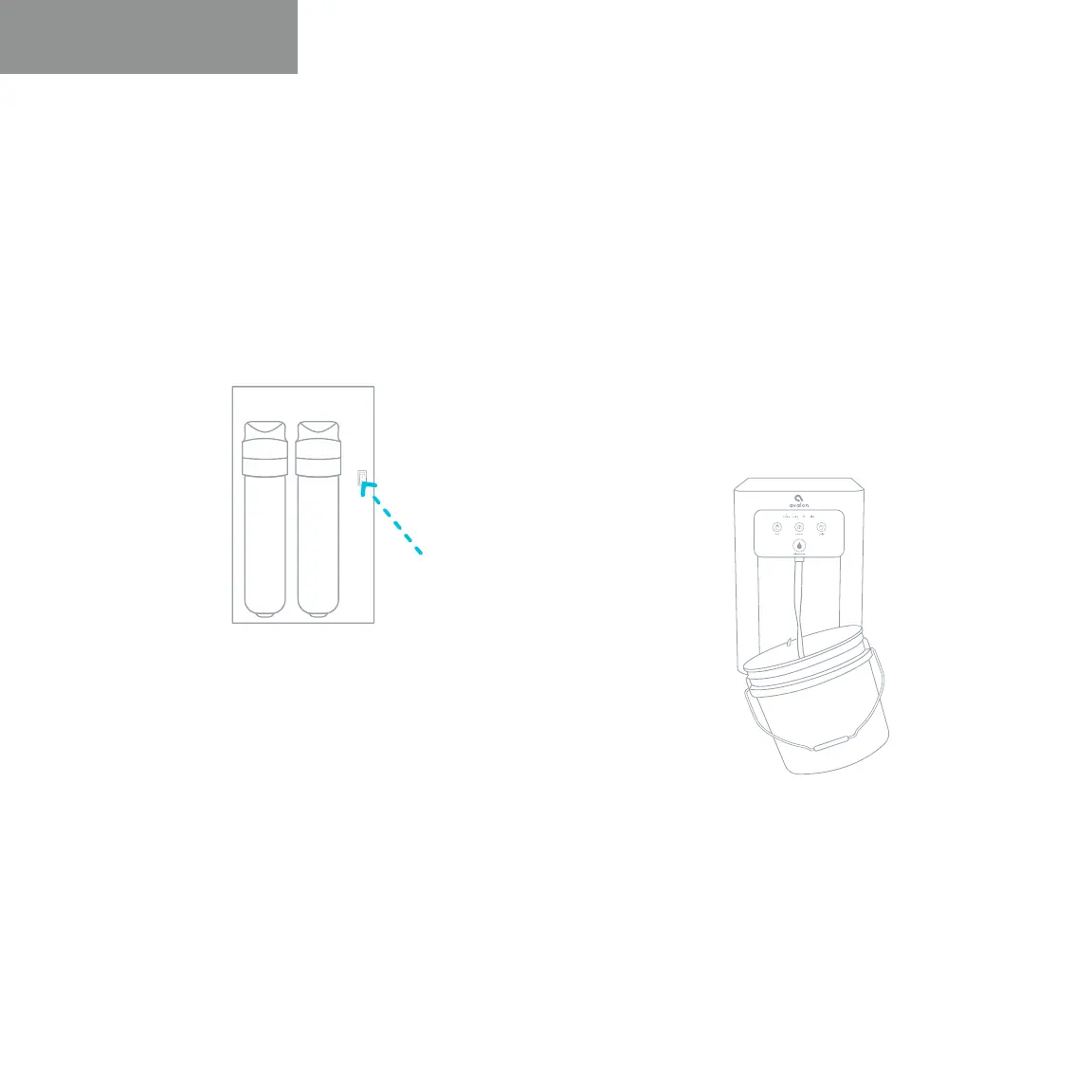
5. After replacing the filters, press and hold
the Filter Reset Button located to the right of
the filters inside the cabinet.
6. In order to flush the new filters, you
can follow the steps of flushing the
filters on pages 14-15 or allow the water
to flow from the water spout (#4) for
approximately 2 minutes until all three
temperature buttons blink on the front of
the unit. The machine will then begin filling
again with new water.
User Guide and Maintenance


 To Next Page