PPC 15”~22”W Series
26 PPC 15”~22”W Series Quick Reference Guide
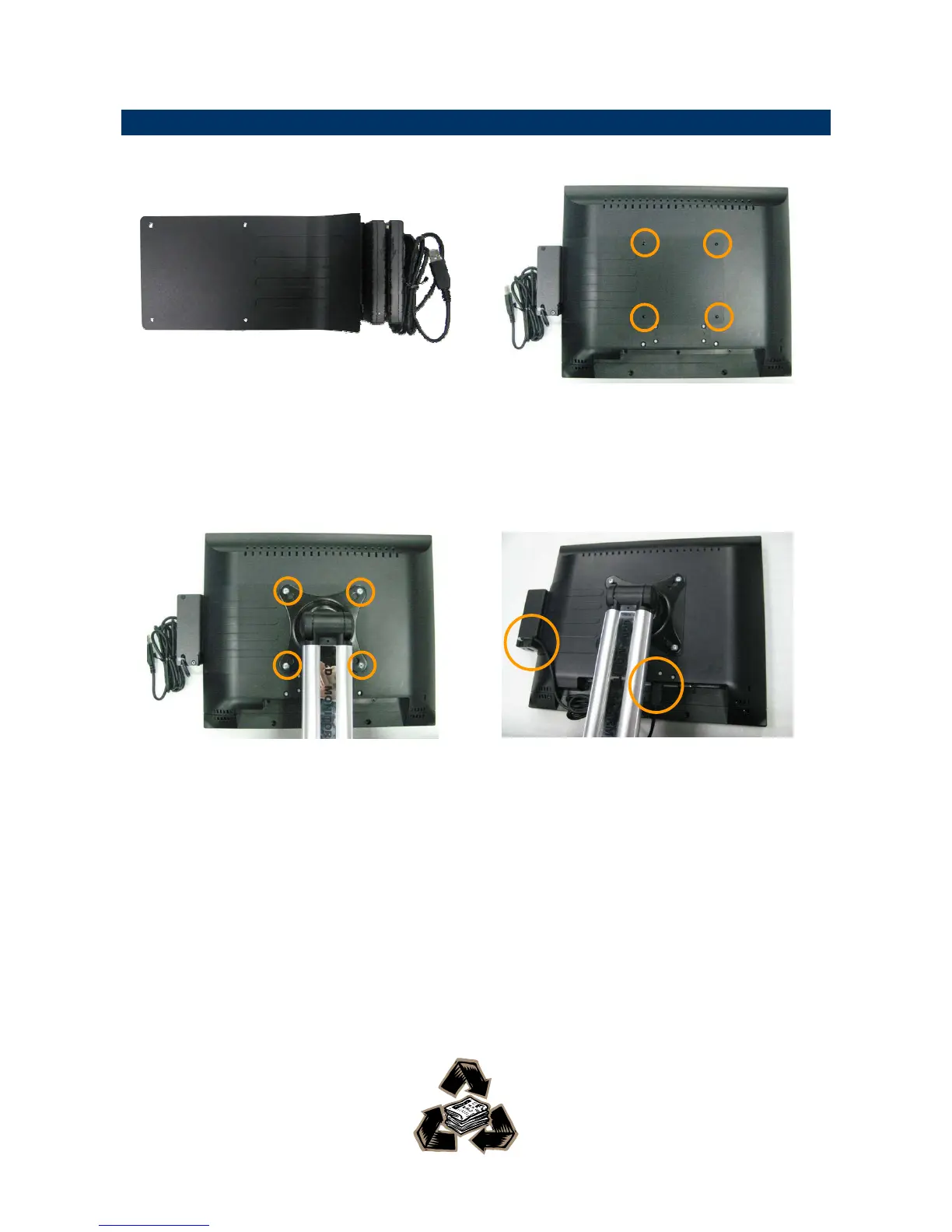
2.4 Installing Optional MSR Module
Step 1. Take out the MSR with bracket
module from the accessory box.
Step 2. Place the MSR module onto the
back of PPC-1501 and make sure
the holes meet the VESA
mountings.
Step 3. Put on the stand right above the
MSR module and have 4 screws
locked.
Step 4. Make the cable passed the hook of
the bracket, and then plug the USB
cable to the USB connector.


 To Previous Page