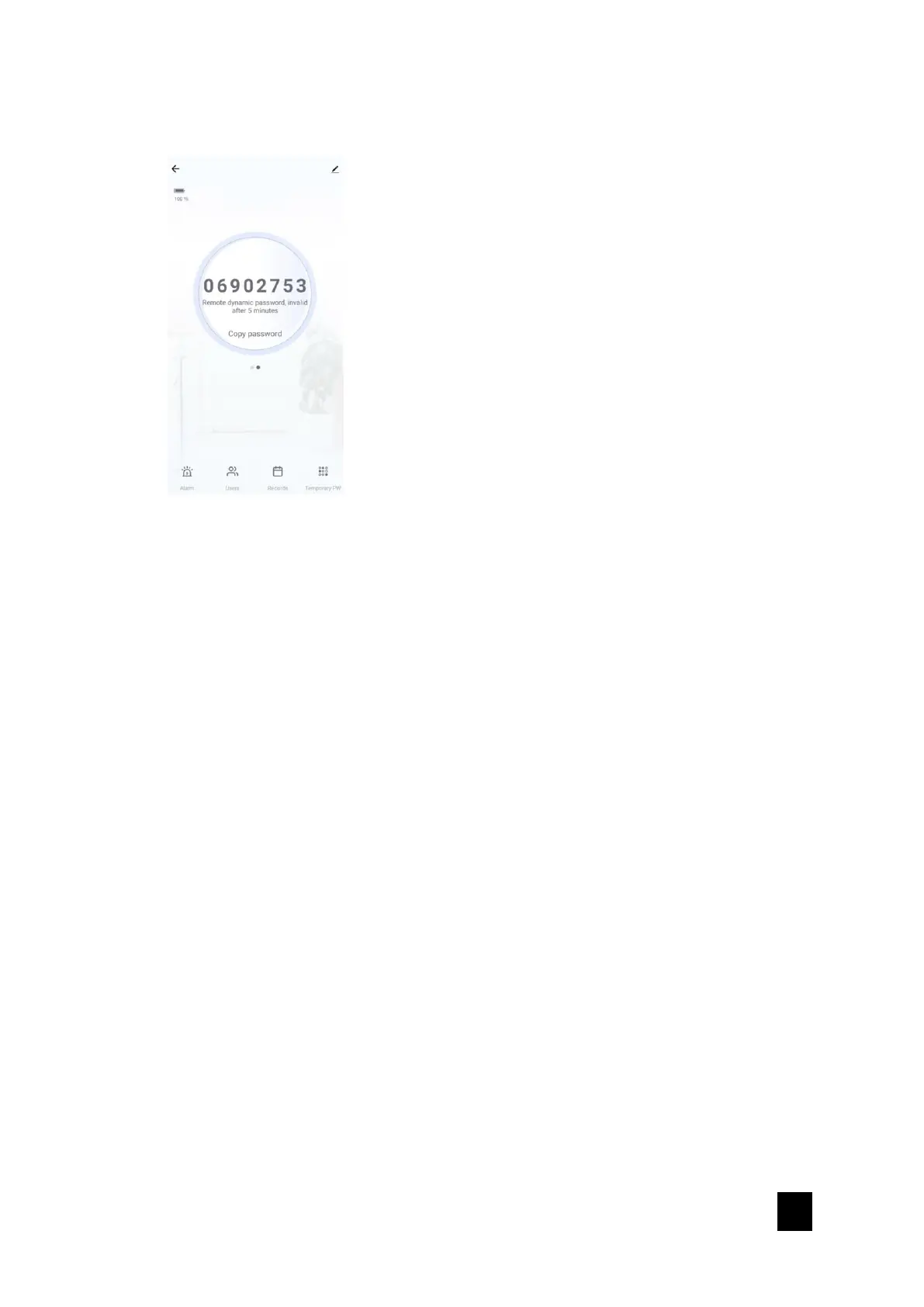
ii. Click on “Remote dynamic password” to generate one time password
iii. Copy Password and send to guest.
iv. Guest to press on “9” + “#” on door lock.
v. Enter password + “#”. Password will be invalid after 5 minutes or used.
vi. Door is unlocked. If unattended after 6 seconds, door will be automatically
locked.
7.3.3. Temporary Password
Temporary password can be set for a certain period. Password will be invalid after
the expiration time.
i. On the smart lock control panel, tap on the “Temporary PW”.
ii. Tap the button in the upper right corner to create new temporary password.
iii. Enter password, name, and effective time period.


 To Next Page