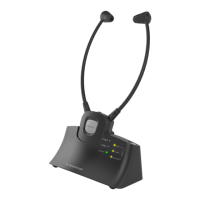
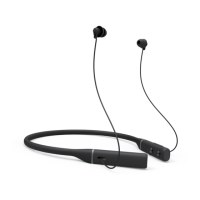
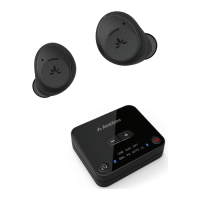
NB16
Model No.: BTHS-NB16
Quick Start Guide I Schnellanleitung I Guide de démarrage rapide
Guida Rapida all’uso I Guía de inicio rápido
Contact Us
Kontaktieren Sie uns | Contactez-nous | Contattaci | Contáctenos
Charging
Input: DC 5V/ 0.5A ~2A
From OFF status, press and hold the " " button - release when the
Bluetooth menu.
DE
ES
Desde el estado APAGADO, mantenga presionado el botón " ";
suéltelo cuando el indicador parpadee en AZUL y ROJO. Seleccione
"Avantree NB16" en el menú de Bluetooth de su teléfono.
IT Dallo stato OFF, tenere premuto il pulsante " " - rilasciare quando il
l'indicatore lampeggia in BLU e ROSSO. Seleziona "Avantree NB16" nel
menu Bluetooth del tuo telefono.
FR
À partir de l'état OFF, maintenez enfoncé le bouton " " - relâchez-le
lorsque l'indicateur clignote en BLEU et ROUGE. Sélectionnez
"Avantree NB16" dans le menu Bluetooth de votre téléphone.
Halten Sie im AUS-Status die Taste „ “ gedrückt – lassen Sie sie los,
wenn die Anzeige BLAU und ROT blinkt. Wählen Sie „Avantree NB16“
im Bluetooth-Menü Ihres Telefons.
NB16 earbuds are best used when paired with an Avantree transmitter
(such as the Avantree Orbit, Oasis Plus, Audikast Plus, etc.) so you can
watch TV with no lip-sync delay.
DE
ES
Los auriculares NB16 se utilizan mejor cuando se combinan con un transmisor
Avantree (como Avantree Orbit, Oasis Plus, Audikast Plus, etc.) para que pueda
ver la televisión sin retrasos en la sincronización de labios.
IT
Gli auricolari NB16 sono utilizzati al meglio se abbinati a un trasmettitore
Avantree (come Avantree Orbit, Oasis Plus, Audikast Plus, ecc.) in modo da poter
guardare la TV senza ritardi di sincronizzazione labiale.
FR
Les écouteurs NB16 sont mieux utilisés lorsqu'ils sont associés à un émetteur
puissiez regarder la télévision sans délai de synchronisation labiale.
NB16-Ohrhörer werden am besten verwendet, wenn sie mit einem Avantree-
Sender (wie Avantree Orbit, Oasis Plus, Audikast Plus usw.) gekoppelt werden,
damit Sie ohne Lippensynchronisationsverzögerung fernsehen können.
Online Support
Soporte en línea | Support en ligne | Supporto Online |
Soporte en línea
EN
1. No sound? Not working?
2. How to factory reset / clear pairing history of NB16?
Troubleshooting & FAQ
DE
1. kein Ton? Funktioniert nicht?
2. Wie setze ich den NB16 auf die Werkseinstellungen zurück / lösche
den Pairing-Verlauf?
FR
1. Aucun son / Ne fonctionne pas?
2.
d'appairage du NB16?
IT
1 . Nessun Suono / Non Funziona?
2. Come ripristinare le impostazioni di fabbrica/cancellare la cronologia
di associazione di NB16?
ES
1. ¿No hay sonido / no funciona?
2. ¿Cómo restablecer de fábrica / borrar el historial de emparejamiento
de NB16?
Subsequent Use
Nachträgliche Verwendung | Utilisation ultérieure | Uso successivo |
Uso posterior
Devices should auto-connect when you turn them back on. If not, you can
manually initiate reconnection by tapping the MFB button once or select
“Avantree NB16” in your device’s Bluetooth menu.
DE
ES
Los dispositivos deberían conectarse automáticamente cuando los
vuelva a encender. Si no es así, puede iniciar la reconexión
manualmente presionando una vez el botón MFB o seleccionando
"Avantree NB16" en el menú Bluetooth de su dispositivo.
IT I dispositivi dovrebbero connettersi automaticamente quando li
accendi di nuovo. Se non è così, puoi avviare manualmente la
riconnessione premendo una volta il pulsante MFB o selezionando
"Avantree NB16" nel menu Bluetooth del tuo dispositivo.
FR
Les périphériques devraient se connecter automatiquement lorsque
vous les rallumez. Si ce n'est pas le cas, vous pouvez initier
manuellement la reconnexion en appuyant une fois sur le bouton
MFB ou en sélectionnant "Avantree NB16" dans le menu Bluetooth
de votre appareil.
Die Geräte sollten sich automatisch verbinden, wenn Sie sie wieder
einschalten. Wenn nicht, können Sie die erneute Verbindung manuell
durch einmaliges Tippen auf die MFB-Taste oder durch Auswahl von
"Avantree NB16" im Bluetooth-Menü Ihres Geräts initiieren.
Accessory
Accessory
Avantree NB16
Avantree Aria
MY DEVICES
If notAuto-connect
Use with Phone
Nutzung mit dem Handy | Utilisation avec un téléphone |
Utilizzo con telefono | Uso con el teléfono
1
Use with Avantree Transmitter
Nutzung mit einem Transmitter | Utilisation avec un
transmetteur | Utilizzo con trasmettitore | Uso con el transmisor
2
TV
Visit avantree.com/nb16/phone-connection for more details
Visit avantree.com/nb16/tv-connection for more details
Visit avantree.com/nb16/reconnection for more details
Need further assistance?
Visit avantree.com/support/nb16
From OFF status,
press & hold for 5s
Accessory
Accessory
Avantree NB16
Avantree Aria
MY DEVICES
2.5H
Low Full
Low battery
Product Overview
Überblick | Aperçu | Panoramica | Visión de conjunto
Orbit
Oasis Plus
Audio cable
Audikast Plus
(purchased separately)
AUX
OPT
SBC
APTX
LL
HD
RX
TX A
B
AUX
VOICE
ON/OFF
OPT
4 5
AUX
OPT
LL
FS APTX
SBC
USB
Model No: BTHS-NB16
Dispose of the packaging and this product in accordance with the latest provisions.
Z-PKQG-NB16-F-V4
x1 tap
x1 tap
x1 tap
1s press & hold
2s press & holdON
OFF 5s press & hold
1s press & hold
x1 tap
1s press & hold
avantree.com/nb16/video
Video Guide
Support Tickets
avantree.com/submit-a-ticket
Support Email support@avantree.com
US/CA
UK
DE
FR
IT
ES
AU
+1 800 232 2078 (9am-6pm, PST, Mon-Fri)
+44 20 8068 2023 (9am-6pm, GMT, Mon-Sat)
+49 32221097297 (11am-9pm, CET, Mon-Sat)
+33 176340312 (11am-9pm, CET, Mon-Sat)
+39 06 9480 3330 (9am-6pm, CET, Mon-Sat)
+34 931786261 (9am-6pm, CET, Mon - Sat)
+61 2 8310 9897 (11am-7pm, AEST, Mon-Fri)
Product Registration avantree.com/product-registration
FAQ
avantree.com/support/nb16


 To Next Page
 Need help?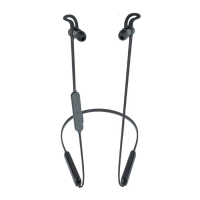

 General