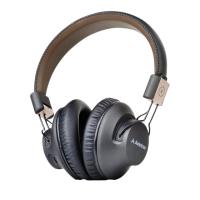
Need help?
Do you have a question about the Avantree Audition and is the answer not in the manual?
Pair headphones via NFC by tapping your phone to the headset for initial connection.
Standard Bluetooth pairing process using the MFB button and searching from your phone.
Connect headphones using the 3.5mm audio cable for wired functionality.
Instructions for answering, ending, and rejecting calls using the MFB button.
Activate voice dialing or commands using V+ and V- buttons.
Redial the last number by double-clicking the MFB button.
Transfer calls between headset and mobile phone by holding the MFB button.
Mute and unmute the microphone during a conversation using the V+ button.
Reset headset to factory settings by holding V+ and V- buttons.
Controls for playing, pausing, skipping tracks, and adjusting volume for music.
Handle a second incoming call while on an active call.
Switch between two active calls on the headset by holding the V+ button.
Steps to pair the headset with a computer via Bluetooth.
Configure sound settings for music playback on a computer.
Configure sound settings for making Skype calls on a computer.

 To Next Page

 General