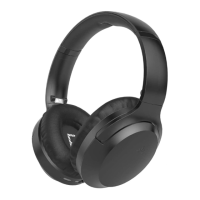
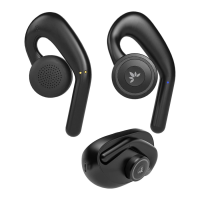
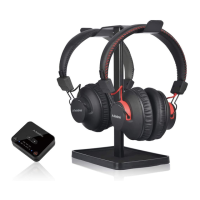
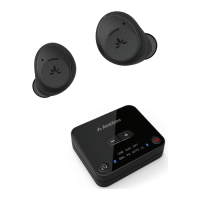
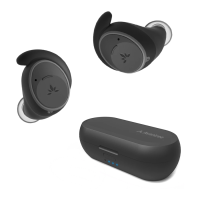
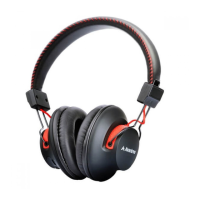
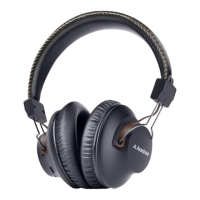
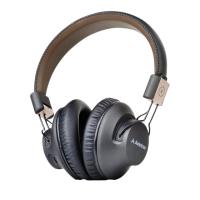
The Avantree Repose (Model No.: BTHS-NB20) is a pair of Bluetooth earbuds designed for comfortable use, particularly for sleeping, with a focus on low-profile design and extended battery life.
Function Description:
The Avantree Repose earbuds provide wireless audio playback and hands-free calling capabilities via Bluetooth 5.0. They are designed with a neckband style for secure wear and feature an emphasis on comfort, especially for extended use or while sleeping. The earbuds support FastStream and SBC audio codecs, allowing for low-latency audio transmission when paired with compatible transmitters, which is particularly beneficial for watching TV without lip-sync delays. The device includes a multifunctional button for controlling playback, calls, and pairing, as well as dedicated volume controls. LED indicators provide visual feedback on charging status, power, pairing, and connection status.
Important Technical Specifications:
- Bluetooth Version: v5.0
- Audio Codec Support: FastStream, SBC
- Supported Profiles: HSP v1.2, HFP v1.6, AVRCP v1.4, A2DP v1.2
- Operating Range: Up to 30ft / 10m
- Playtime: Up to 18 hours
- Max Volume: 96 dB
- Charging Time: Approximately 1.5 hours
- Drivers: 6mm
- Impedance: 16Ω
- Frequency Response: 20Hz - 20KHz
- Power Port: Micro USB
- Power Supply: 5V/500mA-2A rated USB charger
- Weight: 29g
Usage Features:
- Power On/Off: A physical ON/OFF switch controls the power.
- Pairing Mode: For first-time use, the earbuds automatically enter pairing mode upon power-on. If not, pairing mode can be manually activated by pressing and holding the PAIR button for 3 seconds until the LED flashes red and blue alternately.
- Connection: Once in pairing mode, users select "Avantree Repose" from their device's Bluetooth menu. The earbuds' LED indicator turns off upon successful connection.
- Automatic Reconnection: For subsequent use, the earbuds automatically reconnect to the last-paired device within a few seconds of being turned on. Manual reconnection can be initiated by tapping the PAIR button or selecting the device from the Bluetooth menu.
- Music Playback: Tapping the multifunctional button once will play or pause music.
- Call Management: Tapping the multifunctional button once accepts or ends a call. Pressing and holding it for 2 seconds rejects a call.
- Volume Control: Tapping the "+ / -" buttons once increases or decreases the volume.
- Track Navigation: Pressing and holding the "+ / -" buttons for 2 seconds skips to the next track or replays the previous track.
- Charging Indication: A solid red LED indicates charging is in progress. The LED turns off when fully charged.
- Low Battery Indication: The LED flashes red every 5 seconds when the battery is low.
- Voice Prompts: Voice prompts like "PAIRING" and "CONNECTED" provide audible feedback on the device's status.
- Volume Adjustment Note: Users are advised to adjust the volume on both the earbuds and their phone to achieve the lowest volume levels.
- TV Connectivity: While technically connectable to smart TVs via built-in Bluetooth, significant audio delays may occur. To utilize the FastStream codec for no lip-sync delays, pairing with a FastStream-compatible transmitter (e.g., Avantree Orbit or Audikast) is recommended.
Maintenance Features:
- Cleaning: Regular cleaning of the earbuds before and after use is recommended to prevent potential damage and eliminate sound muffling issues. Dry cotton swabs or similar tools can be used to gently wipe dust, earwax, and oil from the earbud tips.
- Charging: The earbuds are charged via a micro USB port using the provided cable. They should be connected to a 5V/500mA-2A rated USB adapter (like a phone charger) or a PC USB port.
- Non-Replaceable Earbud Tips: The Repose earbuds feature smaller-than-average, optimized earbud tips for sleeping comfort, and these tips are not replaceable. If the fit is unsuitable, Avantree offers a 60-day return policy for a full refund, provided the product is undamaged. Alternative models like NB18 and NB16 are suggested for different needs.

 Need help?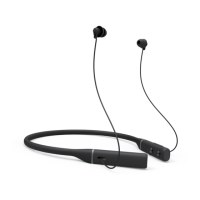

 To Next Page
 General