11. Note Repeat
The Note Repeat function only works when the pad is in Note mode.
◇ Press NOTE REPEAT button to turn the Note Repeat function on or o
◇ When the Note Repeat is on, hit a pad, it will repeatedly send the MIDI code according
to the note and velocity parameter set by the arpeggiator, and the velocity value is the
strength of the pad that you currently hit.
12.Sustain Pedal Input
◇ Connect an optional 1/4" TS sustain pedal to this input.
PRESET PARAMETER EDITING
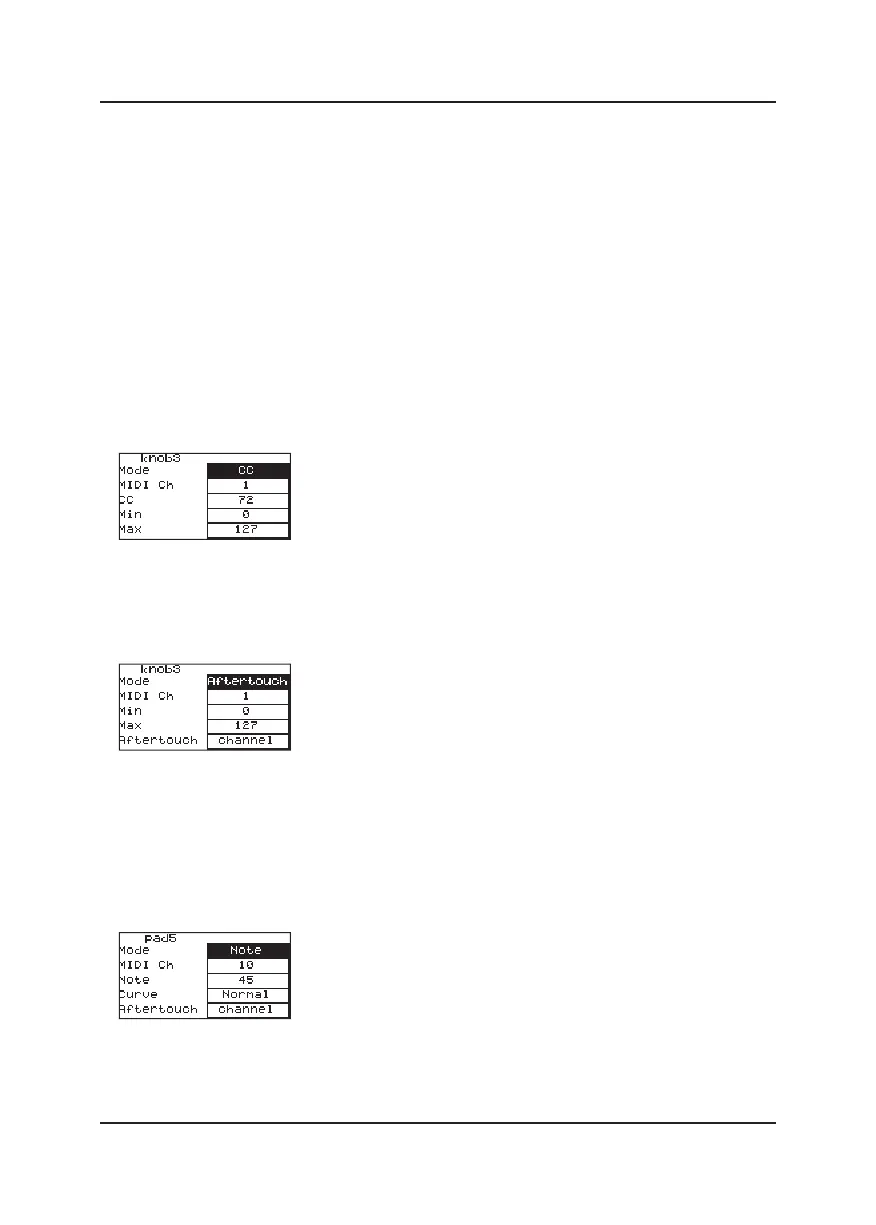
1.Modify Assignable knob parameters
Press MENU button, then scroll the Assignable knob to select it.
◇ When the knob is in CC command working mode, you can change:
①MIDI Channel for the knob;
②CC of the knob;
③The Min and Max value of these CC.
◇ When the knob is in Aftertouch working mode, you can change:
①MIDI Channel for the knob;
②The Min and Max value of the Aftertouch;
③Set to Key Aftertouch or Channel Aftertouch.
2.Modify pad parameters
Press MENU button, then hit a pad to select it.
◇ When the pad is in Note working mode, the pads can trigger drum hits or other
samples in your software. You can change:
①MIDI Channel of the pad.
②MIDI notes of the pad.
③Velocity curve of the pad.
④Aftertouch of the pad can be set to Key Aftertouch or Channel Aftertouch.
7



 To Next Page