Configuring the Remote Supervisor Adapter
Installing the Avaya S8500 Media Server with an Avaya G650 Media Gateway 71
December 2003
Configuring network protocols
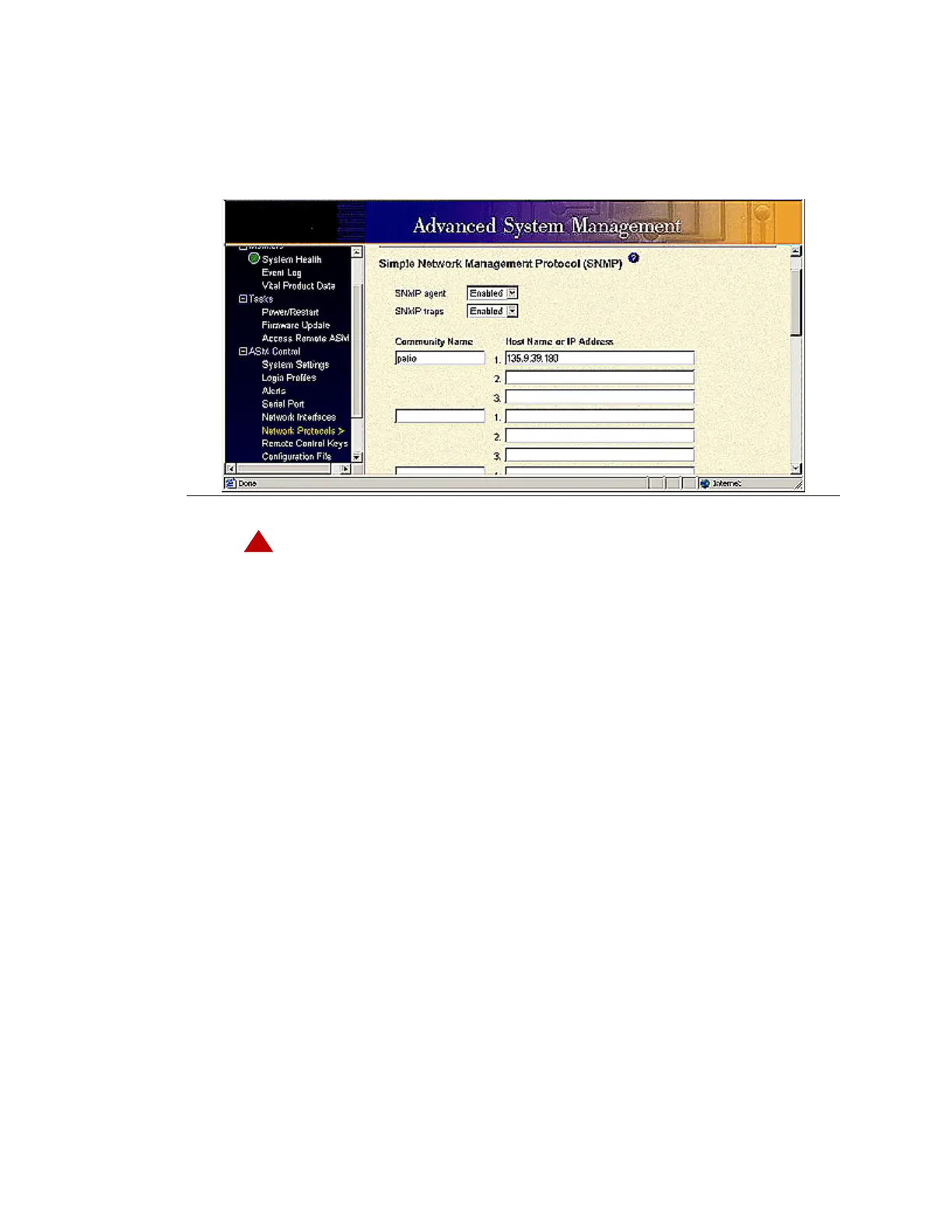
1 Under ASM Control, click Network Protocols.
The system displays the Simple Network Management Protocol (SNMP) window.
!
DANGER:
Perform the following steps to configure SNMP and DNS:
For SNMP:
a Enable the SNMP agent and SNMP traps.
b Type in Avaya Services for the community name
c Type in the IP address for the server receiving the alarms.
d Scroll down and click Save. Delay clicking Save if a DNS server is used.
For DNS:
a In the DNS field, select Enable DNS from the drop-down menu.
b In the DNS server IP address 1 field, type in the IP address for DNS server 1.
c In the DNS server IP address 2 field, type in the IP address for DNS server 2 (if used).
d In the DNS server IP address 3 field, type in the IP address for DNS server 3 (if used).
e In the Hostname field, complete the IP-address-to-hostname mappings by filling out the
IP address field.
f Scroll down and click Save.
2 Under ASM Control, click Restart ASM to reboot.




 To Next Page