- 30 -
I
trol panel memory, proceed as follows:
1 turn the mechanical key to PROGRAMMING: the PROG LED will switch on.
2 open the control panel enclosure: 3 beeps are produced for confirmation and the LED “ZONE A1” swit-
ches on, as this is the first condition to start programming.
Note: if the control panel enclosure is open and the mechanical key is already in the PROGRAMMING
position, during the first power supply the control panel automatically enters the state of “start program-
ming”.
If the mechanical key is in the ON position, the control panel enters the state of “start programming” by
passing from ON to PROG.
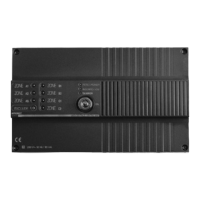
3 press the reset push-button (indicated on the control panel card – see Fig. 1) to reset the control panel
memory: a beep will be produced for confirmation.
4 press the red and green push-buttons of the remote control simultaneously.
5 the control panel confirms that the remote control code has been stored by producing a beep for confir-
mation. If the code exists in the control panel memory (remote control already stored), 5 beeps will be
produced for confirmation.
Other remote controls can be programmed without opening the control panel but just turning the mecha-
nical key to programming and carrying out operation no. 4. If all the previously stored remote controls
must be reset to store only a few of them, proceed as follows:
1 turn the mechanical key to PROGRAMMING
2 press the two push-buttons of an already stored remote control simultaneously for 15 seconds
3 there is no need for the control panel to be opened again as the remote controls can be re-stored just
by repeating operation the sequenze from point N°4.
Note: this operation can be carried out to cancel the codes of lost remote controls from the memory of
the control panel.
AF938R Remote control to start panic alarm
Unlike the model for starting the system, this model has been designed to start the panic alarm. It is red-
coloured and has two red push-buttons.
Note: See paragraph “OPERATION” (page 22) for details concerning panic alarm.
Programming
To store the remote control code in the control panel memory proceed as follows:
1 turn the mechanical key to programming. The PROG LED will switch on.
2 open the control panel enclosure: 3 beeps are produced for confirmation and the LED “ZONE A channel
1” will switch on.
3 press the GREEN push-button of an already stored AF939R remote control: all the line LED’s will switch
on progressively, that is, line 1 – 2 – 3 – 4 – 5 – 6 –7- 8- 9, PANIC, TECH ALARM. Each LED remains
on until the green push-button is pressed.
4 select the PANIC channel in order to store the code of the AF938R.
5 press the push-button simultaneously for 5 seconds while the LED of the PANIC channel is on.
6 a beep indicates that the remote control code has been stored. If the code exists in the control panel
memory (remote control already stored), 5 beeps will be produced for confirmation.
By pressing one of the two red push-buttons during the normal operation, a panic alarm will be started.
AF968R P-IR DETECTOR (Fig. 3)
G
C.411 4-06-2002 10:59 Pagina 30



 To Next Page