10
AVer PTZApp
Install AVer PTZApp
Please go to http://www.aver.com > Support > Download Center > Video Conferencing to download
the AVer PTZApp. After downloading, double-click on the file and follow the on screen instructions to
complete the installation.
After installing the AVer PTZApp, double-click on the AVer PTZApp icon to run the application.
Use AVer PTZApp
1. Run you video application..
If you have the Skype plug-in checked during the installation, a plug-in request will be displayed in
Skype. Click on the Skype plug-in request to accept the plug-in; this enables and
funcationality on the Remote Control.
2. During your video call, you can use the AVer PTZApp to pan, tilt and zoom the camera in/out and
enable/disable the backlight feature.
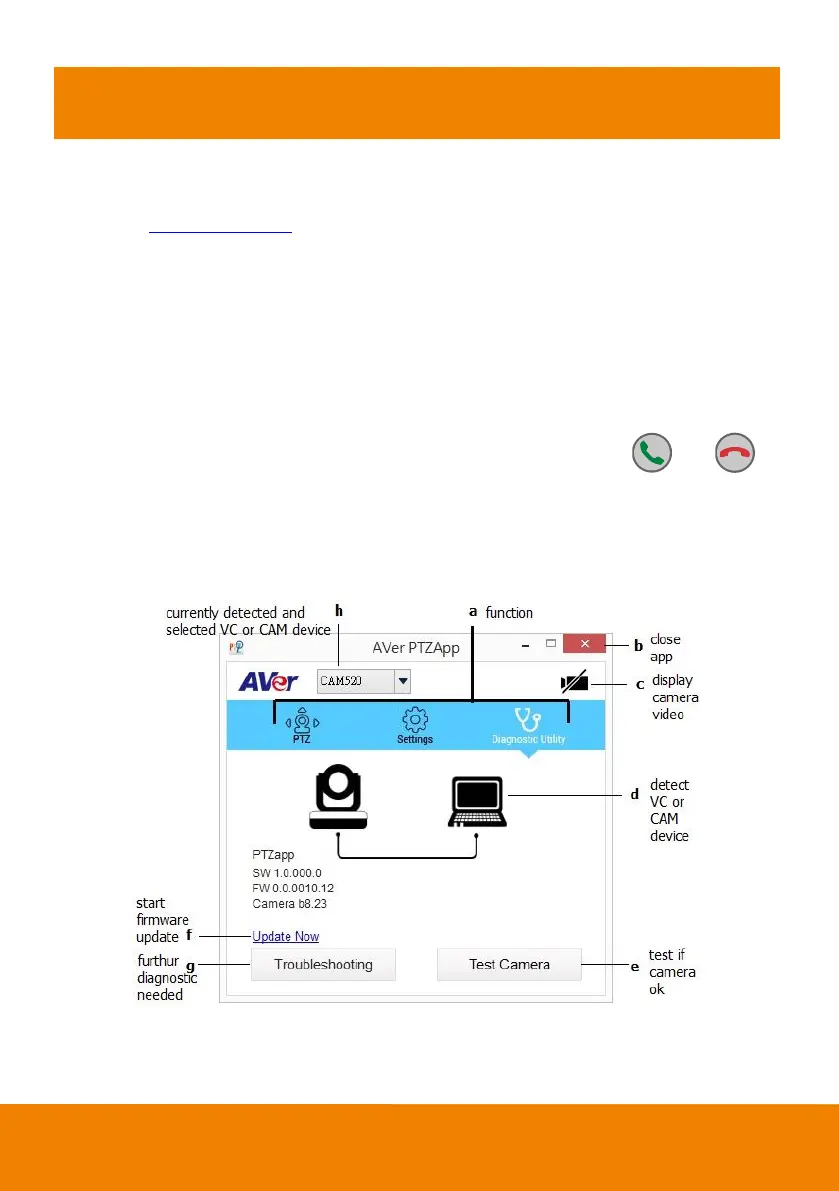
3. For the first time use, you can check the connection, camera, and setup the camera’s parameters.
Each function will be described below:



 To Next Page