37
will immediately shoot the preset zones instead of focusing and zooming into presenter. PTZ
Camera tracks and frames all the participants if none of them touch any preset area. To keep
the screen stable, whenever there is a person in the area, the camera won’t move any more
until no one shows up. However, the camera can detect the direction where the last person
goes. If the person goes to the next preset area with overlap section, the camera will directly
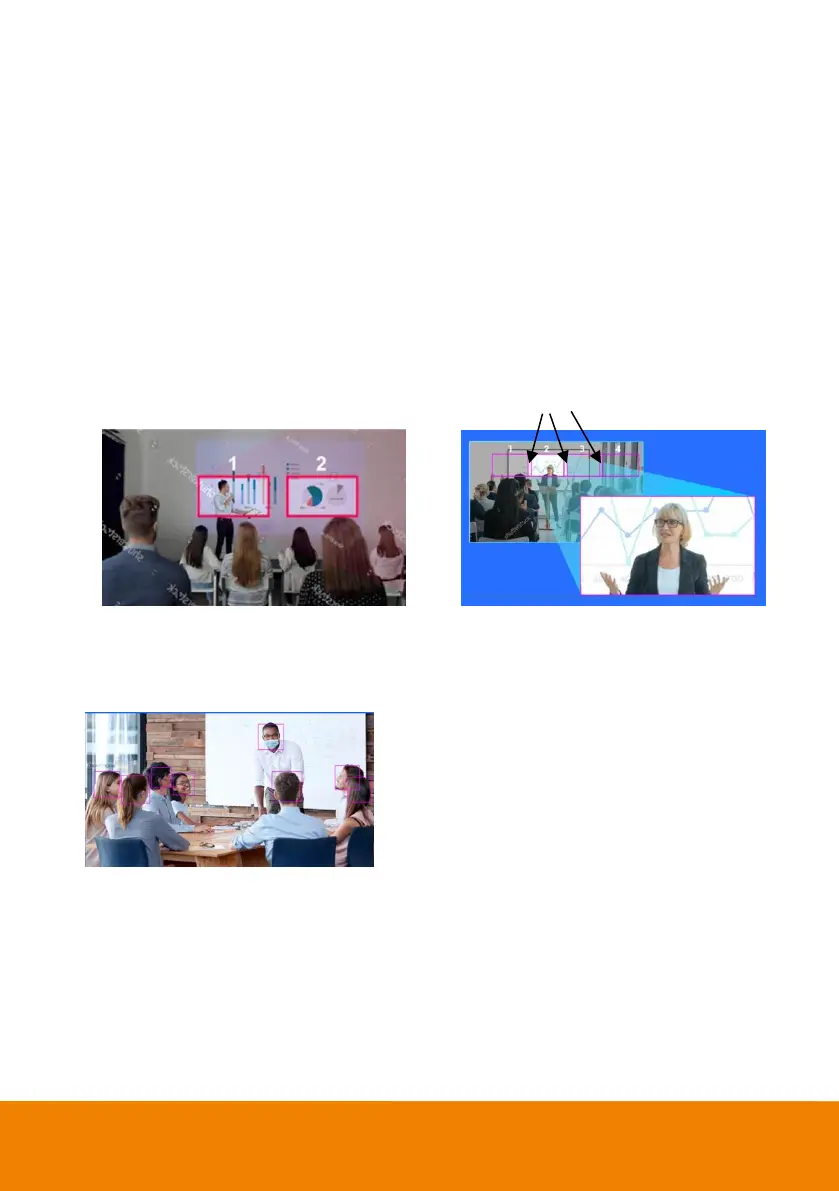
move to the next preset area. Thus, to ensure smooth transition, please set up zones with
overlapping presets.
If the preset zones do not overlap and when the last person leave the preset area, camera will
zoom out to wide to find people and frame them again.
If more than 2 presets areas are touched by 2 persons, camera will go to preset 1. The priority is
preset 1>preset2> preset 3….>preset 9
Separate preset area setting
Overlap preset area setting
[Note] CAM550 frames people in masks or any facial profile up to 7~10 meters away!
Overlap beginning & end of each zone



 To Next Page