49
Network Settings
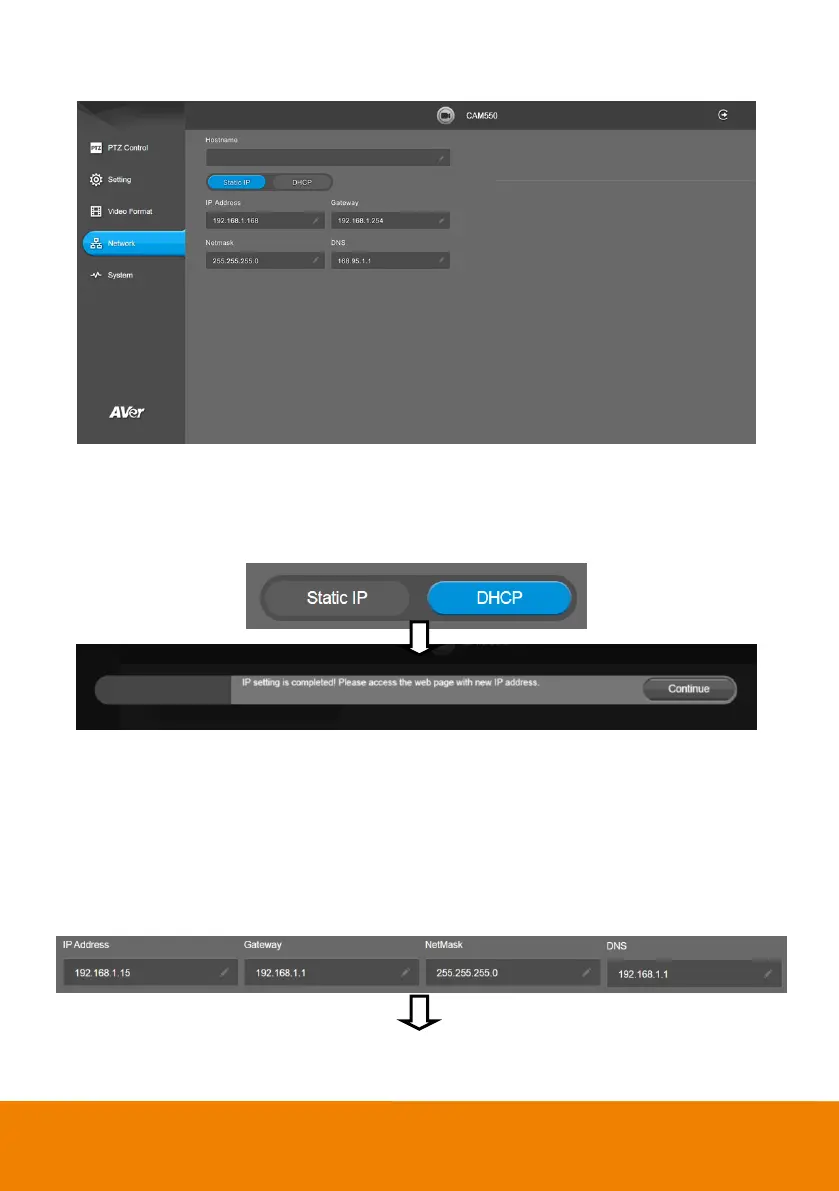
DHCP
Enable DHCP function.
Select Network > DHCP. A message is shown and clicks Continue to confirm.
Static IP
Assign a fixed IP address to the camera.
1. Select Network > Static.
2. Click pencil icon and enter the IP Address, Gateway, NetMask, and DNS in the corresponding
fields.
3. Select Confirm to complete the setting.



 To Next Page